 MailDirect Help
Activating View Engager
Activating View Engager
The View Engagers are activated by Mapping/Selecting View Engagers from the Campaign Wizard/Quick Campaign.
The Active View Engagers are displayed in the Combo box.
Once the Campaign is fired, the View Engagers are Activated and based on the Views, the sequence/order of the Emails mapped in the View Engagers are send on the next day. I.e. When the campaign is viewed by a recipients the Serial No 1 Email mapped to the View Tracker is send to recipient on the next day. Similarly when the recipient Views Serial No 1 Email then Serial No 2 Email is send to recipient on the next day and so on till all the Emails mapped are send.
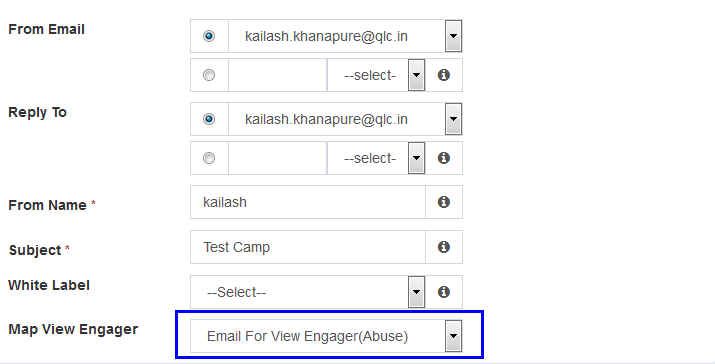
Figure : Activating View Engagers