 MailDirect Help
Add Multiple List
Add Multiple List
- The API is used to create multiple lists.
- The Post parameter is data in JSON format with mandatory fileds List Name, List Description. The optional fields are List Type and Public List Name
- The Details File downloaded in the form of zip if Download As Zip File is checked or download simple text file.
- The sample of JSON input is:
|
{ "data": { "lists": [ { "ListName": "mylist", "ListDescription": "This is my list", "ListType": "public", "PublicListName": "Friends" }, { "ListName": "mylist 1", "ListDescription": "This is my list 1", "ListType": "private" }, { "ListName": "mylist 2", "ListDescription": "This is my list 2" } ] } } |
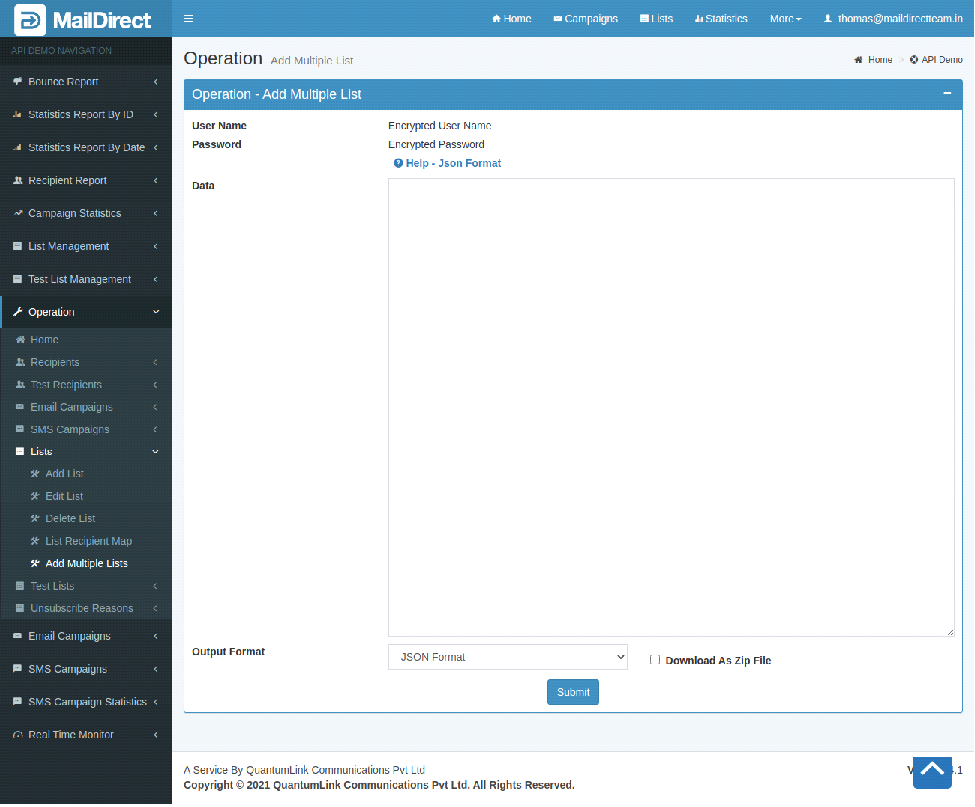
Figure : Add Multiple List
Table : Add Multiple List
|
Sr |
Fields |
Description |
|
1 |
Username |
Encrypted User Name |
|
2 |
Password |
Encrypted Password |
|
3 |
Data |
Name of the list to be created |
|
4 |
Output Format |
JSON or XML format |
|
5 |
Download As Zip File |
The Type of file to be downloaded for details. i.e. zip or text. |
On clicking – Help Json Format the popup is displayed which shows the json format for the post.
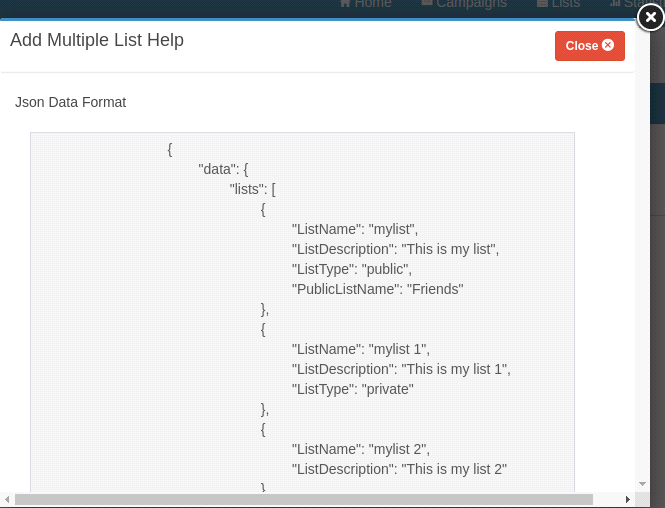
Figure : Add Multiple List - Help Json Format