 MailDirect Help
Add Test Recipients
Add Test Recipients
- To perform add test recipient operation.
- Click On to Add Test Recipients, MailDirect displays the Add Test Recipient screen.
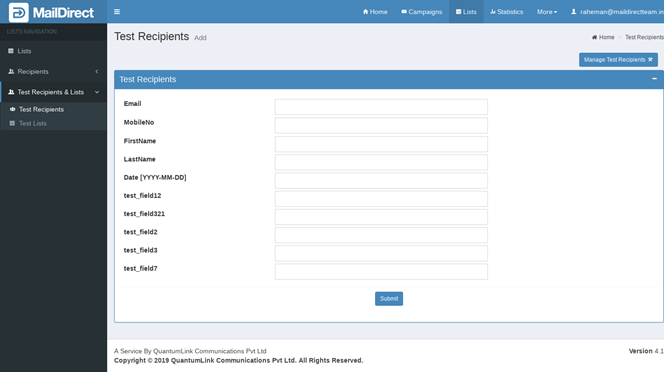
Figure : Test Recipients>Add Test Recipients
Fields to be added here are Email, Mobile No, First Name, Last Name, and Other Custom Fields.
Note: Email ID OR Mobile Number is mandatory.
- After adding required details click submit button to add test recipients.
- When click submit button it will displays the Test Recipients Home page with added recipient's record.