 MailDirect Help
Campaign Home
Campaign Home
Click on Campaigns on the top menu, Campaign Home Page will appear.
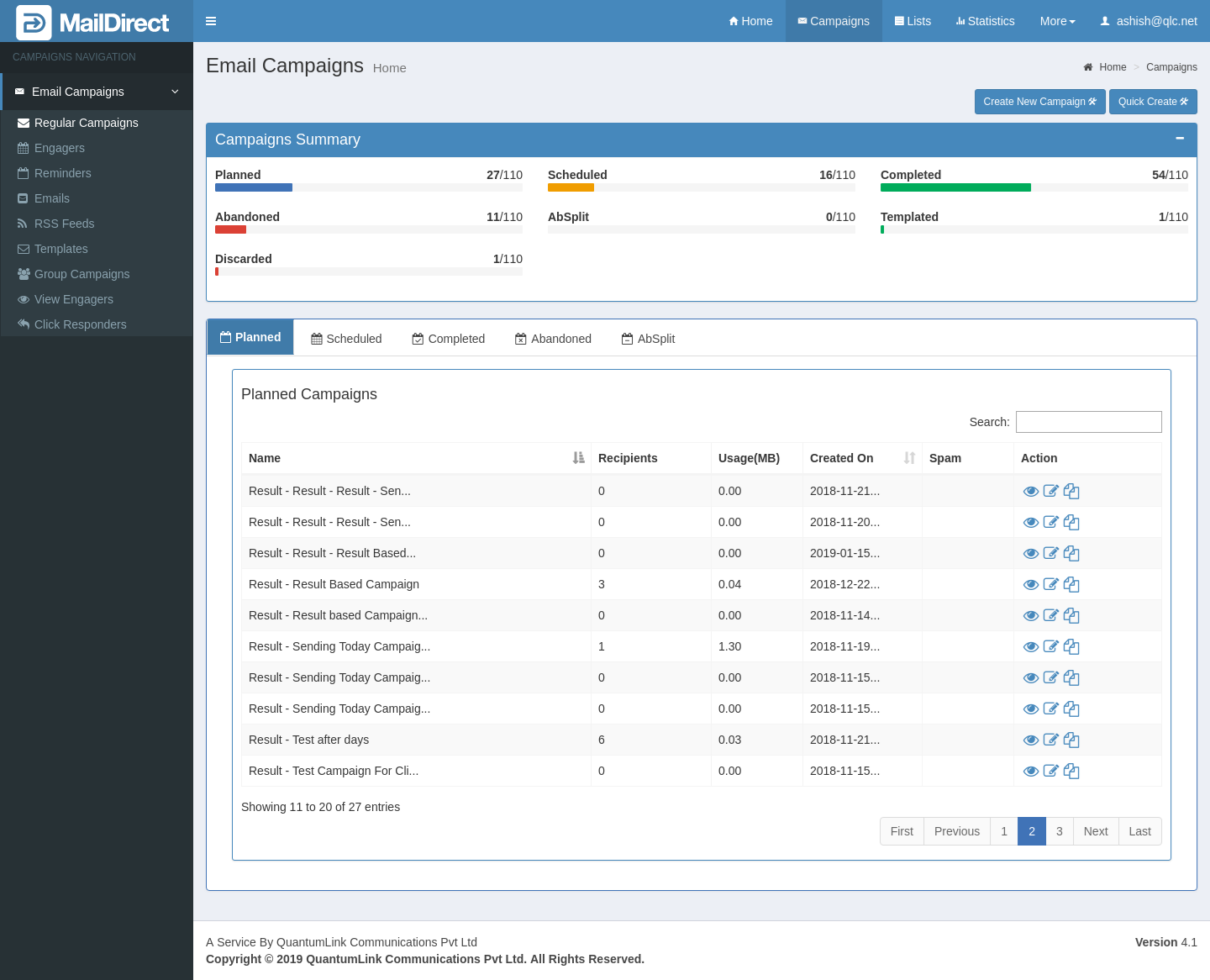
Figure : Campaign Home
The Campaign Home provides the count of Planned, Scheduled, Completed, Abandoned, AbSplit, and Automated Campaigns in graphical and text representation in Campaign Summary Section.
The list of Planned, Scheduled, Completed, Abandoned, AbSplit are provided in Tabs, with individual row which displays Campaign Name, Number of Recipients, Usage/Data Transfer in MB,
Created On, Spam Status (For Planned Campaigns), Scheduled Date(For Scheduled Campaigns), Completed Date (For Completed Campaigns), Abandoned Date (For Abandoned Campaigns), Send Date (For AbSplit Campaigns) and Action. The Actions include  View,
View,  Edit and
  Copy Campaigns. Search option is provided to Search the Campaign.