 MailDirect Help
Create RSS Feed
Create RSS Feed
- The API to Create RSS Feed Campaign.
- The Post Details includes RSS Feed Name, RSS Feed Type, RSS Feed Hour, RSS Feed Days of Week (If RSS Feed Type is Weekly), RSS Feed Month (If RSS Feed Type is Monthly), RSS Feed URL, List Ids, Email Id, Expiry Date, and Alert Emails.
- The Details File downloaded in the form of zip and text.
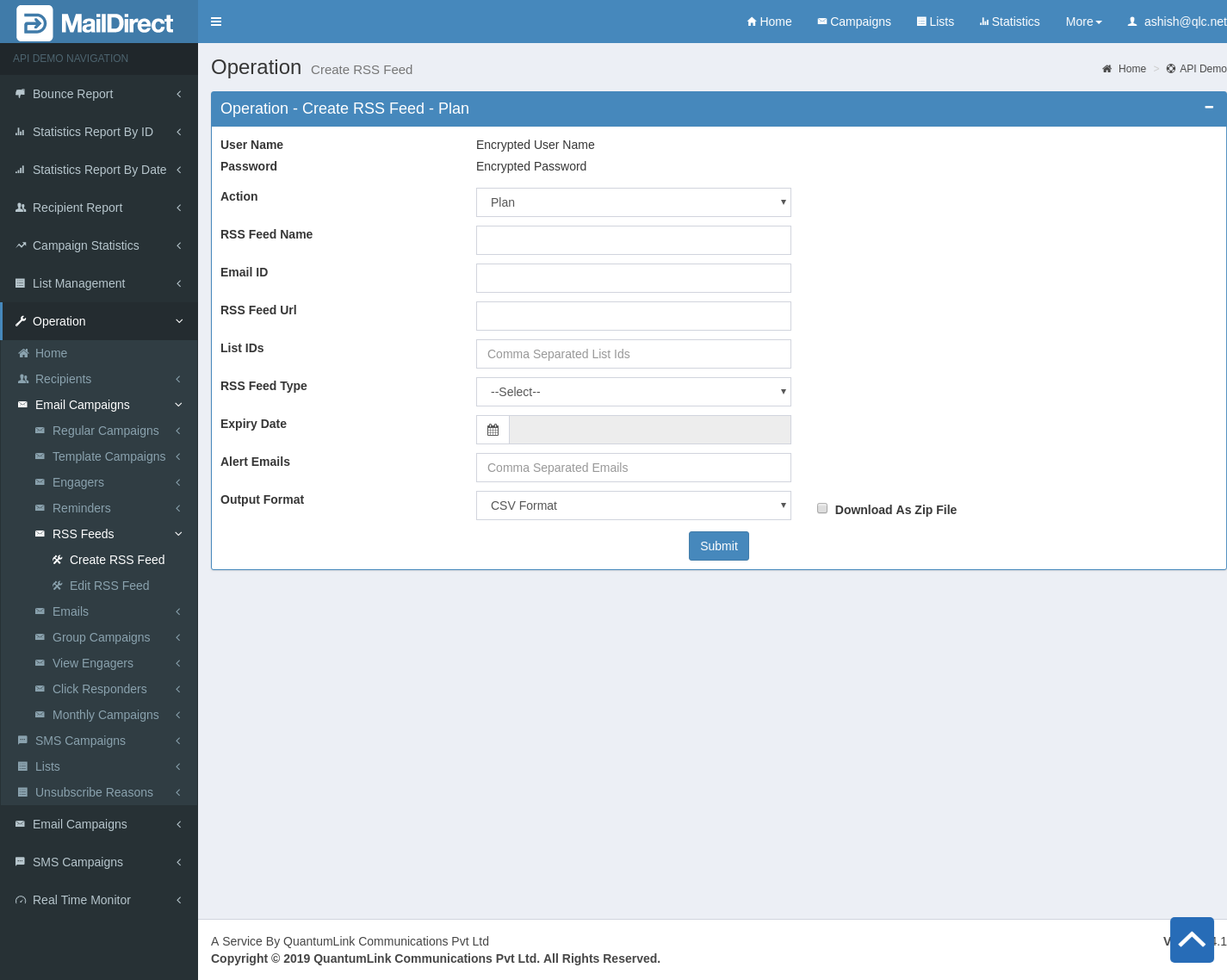
Figure : Create RSS Feed

Figure : RSS Feed Type – Daily

Figure : RSS Feed Type – Weekly

Figure : RSS Feed Type - Monthly
Table : Create RSS Feed
|
Sr |
Fields |
Description |
|
1 |
username |
Encrypted User Name |
|
2 |
password |
Encrypted Password |
|
3 |
Action |
Plan or Activate RSS Feed |
|
4 |
RSS Feed Name |
RSS Feed Name field is required |
|
5 |
RSS Feed URL |
RSS Feed URL is required |
|
6 |
RSS Feed Type |
RSS Feed type (Daily, Weekly and Monthly) is required to create RSS Feed |
|
7 |
RSS Feed Hour |
RSS Feed Hours (00:00 – 23:00) is required to create RSS Feed |
|
8 |
RSS Feed Days of Week |
RSS Feed Days of Week (Sunday – Saturday) is Required, if RSS Feed Type is Weekly |
|
9 |
RSS Feed Month |
RSS Feed month (01-31) is required, if RSS Feed Type is Weekly |
|
10 |
Email ID |
The Email Id is required to mapped to reminder campaign |
|
11 |
List IDs |
The Comma-Separated list ids is required |
|
12 |
Expiry Date |
The Expiry date is required |
|
13 |
Alert Emails |
The Alert Email (Not Mandatory) |
|
14 |
Format Option |
The Format of the file to be downloaded for details. i.e. csv or xml or json |
|
15 |
Download As Zip File |
The Type of file to be downloaded for details. i.e. zip or text |