 MailDirect Help
Edit Test List
Edit Test List
- To perform this action click
 Edit button from the action column.
 - MailDirect will display Edit Test Contact List popup with list details filled.
- Make the modifications required.
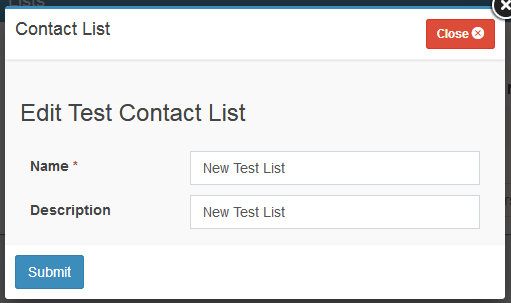
Figure : Test Recipients>Edit Test Contact Lists
- When click submit button, MailDirect displays Manage Test Lists Screen with updated test list.
Table : Test Recipients>Edit Test Lists
|
Field |
Description |
|
Name |
Name of the test list to be added. Note: This field is mandatory. |
|
Description |
Description of the test list to be added. |