 MailDirect Help
Emails Home
Emails Home
- On the Campaign menu, click the Emails option
- Mail Direct displays the Email Home Page.
The Email Home provides the count of Total Emails and the count of Emails mapped to Engager, Reminder, RSS Feeds, View Engagers, Click Responders,Multiple Template and Monthly Campaigns.
The list of Emails is displayed with individual row having details of Email Name, Email Description, Spam Status, Created On Date and Action. The Actions include  View
View  Information
  Edit and
  Delete Emails. Search option is provided to Search the Emails.
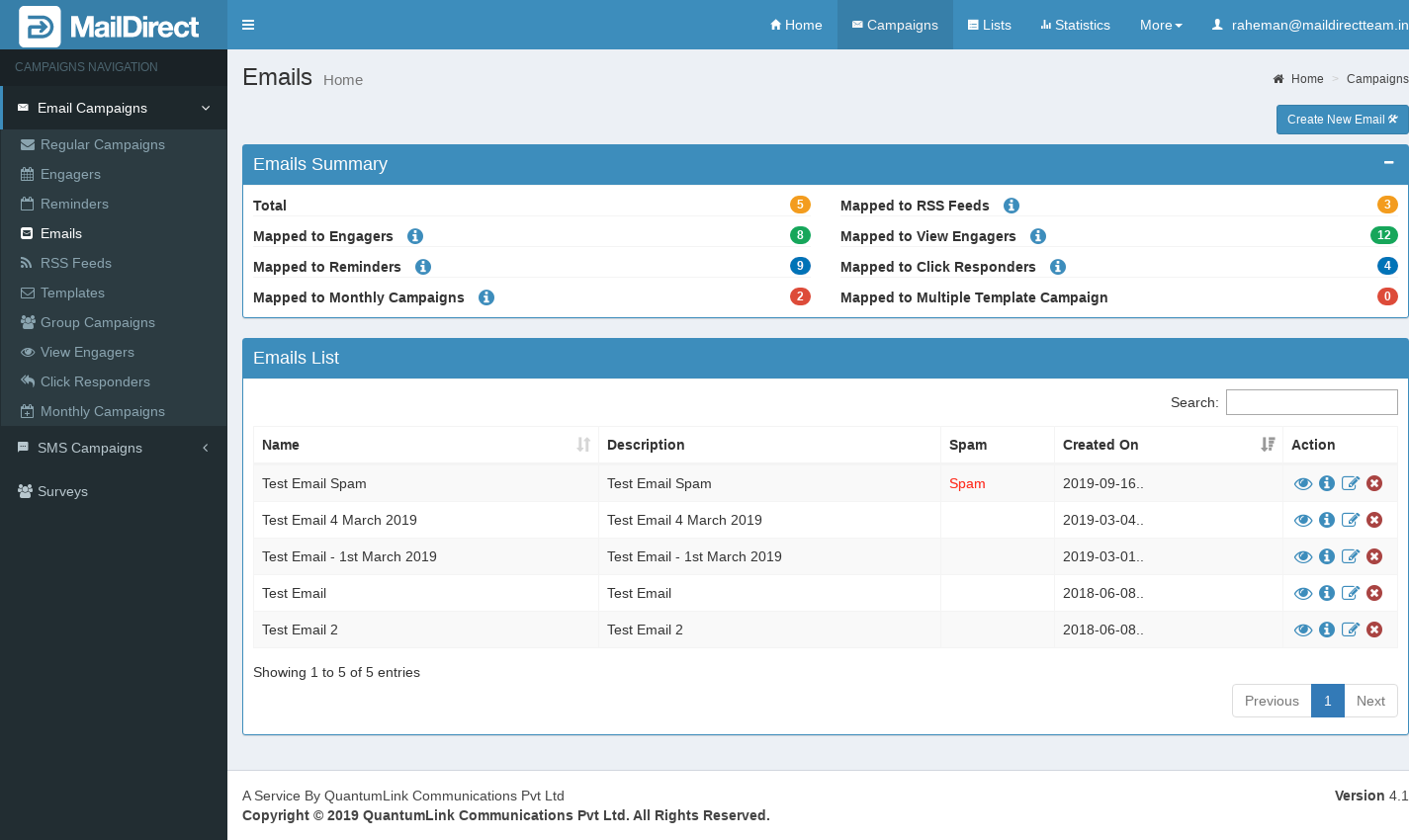
Figure : Email Home Page
Email Summary Section
Click on icon adjacent Mapped to Engagers or Mapped to Reminders or Mapped to RSS Feeds or Mapped to View Engagers or Mapped to Click Responders or Mapped to Multiple Template or Mapped to Monthly Campaigns - to display popup with details contains Engager Name, RSS Feed Name, Reminders Name, View Engagers, Click Responders Name, Multiple Template and Monthly Campaigns Name with Email Name respectively.
The Edit Button is available to edit mapped respective Engager, Reminder, RSS Feeds, View Engagers, Click Responders, Multiple Template and Monthly campaigns and Emails.
The display of Engagers, Reminders, RSS Feeds, View Engagers, Click Responders, Multiple Template and Monthly campaigns mapped to Emails are shown below:
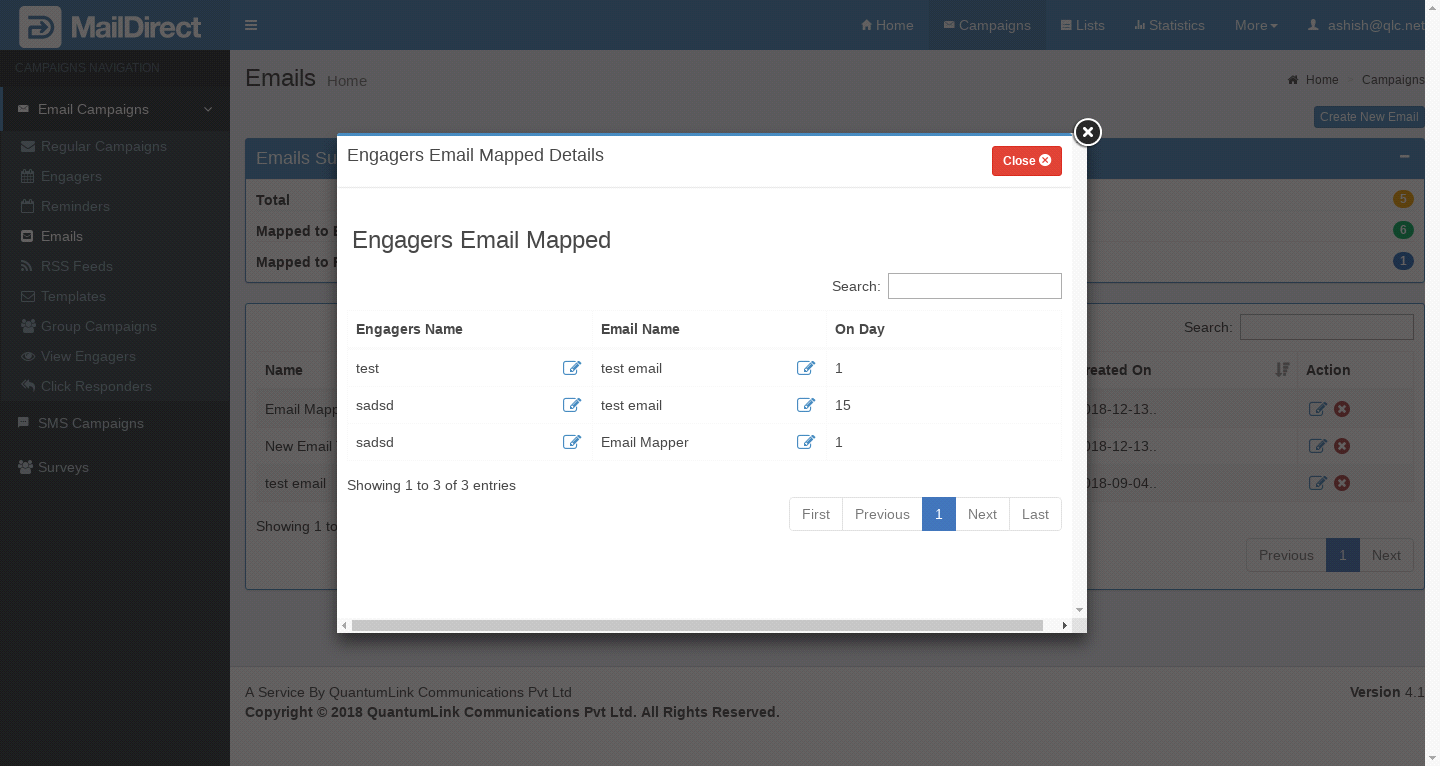
Figure : Engagers Email Mapped Details
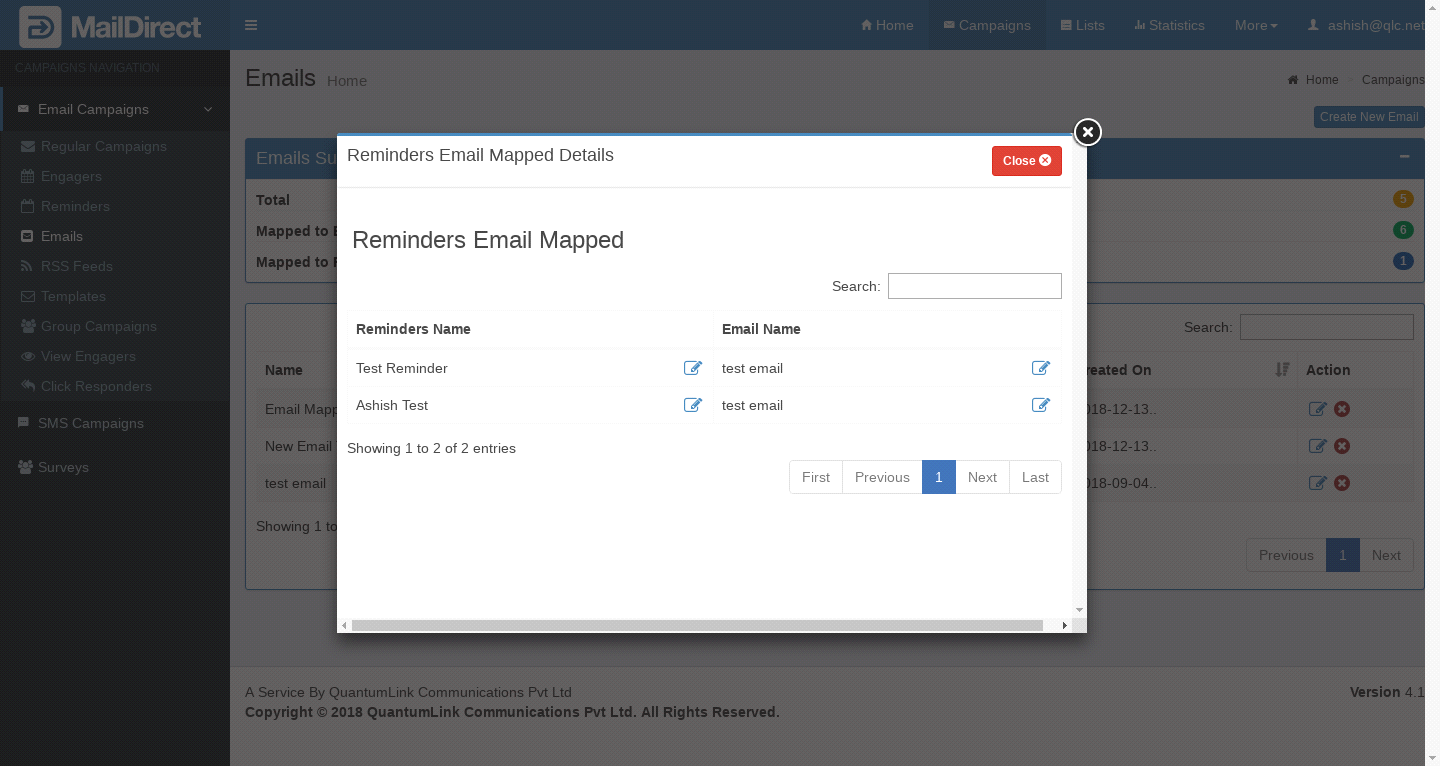
Figure :Reminder Email Mapped Details
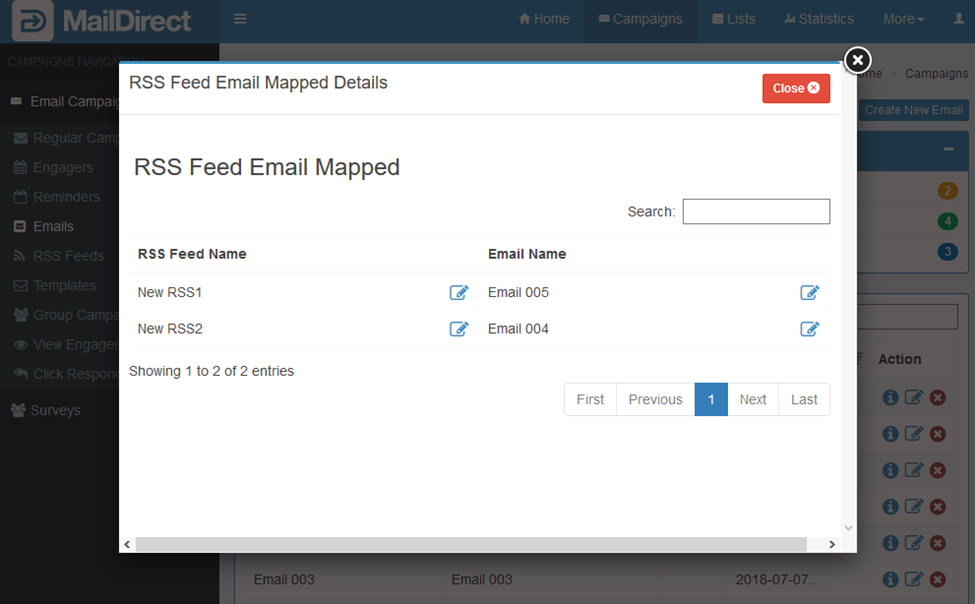
Figure : RSS Feed Email Mapped Details

Figure : View Engagers Email Mapped Details
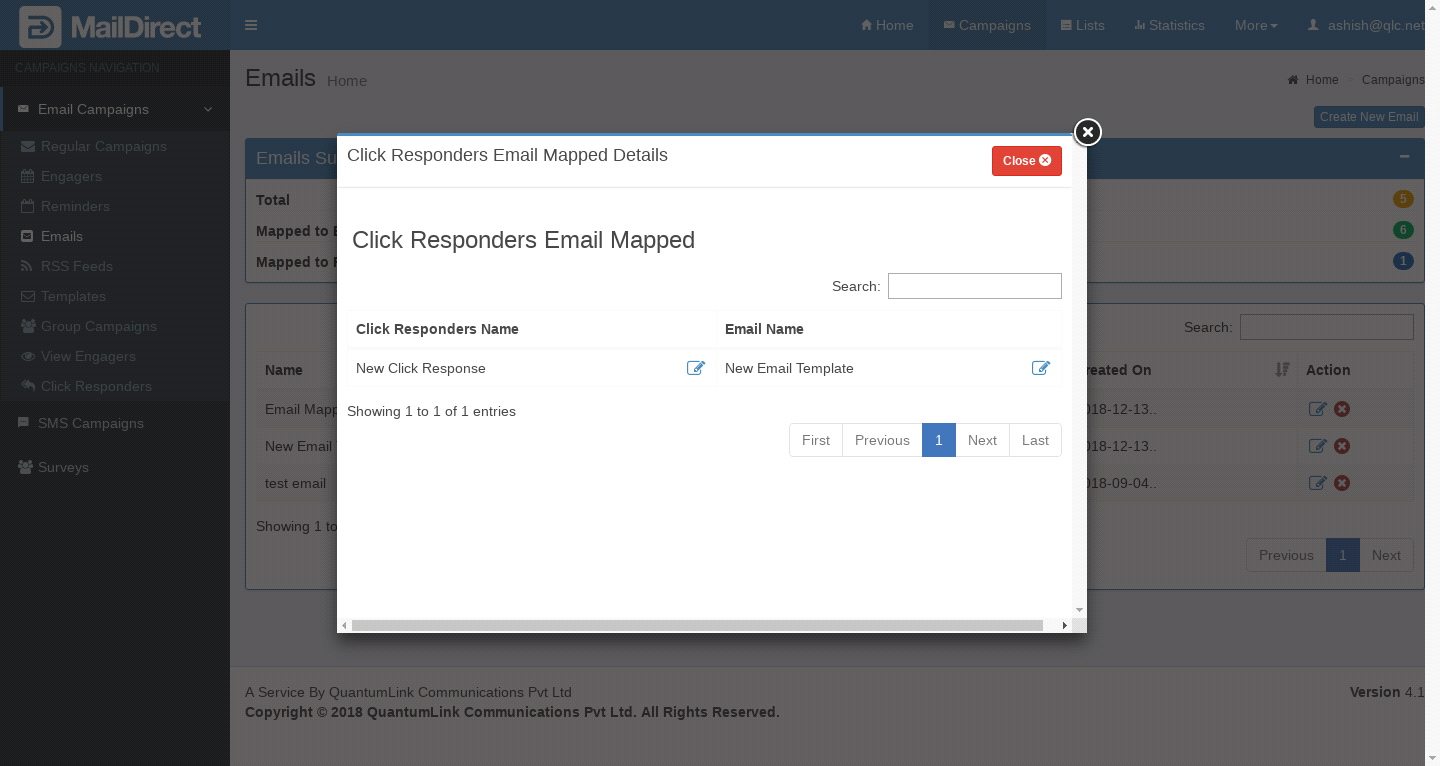
Figure : Click Responders Email Mapped Details
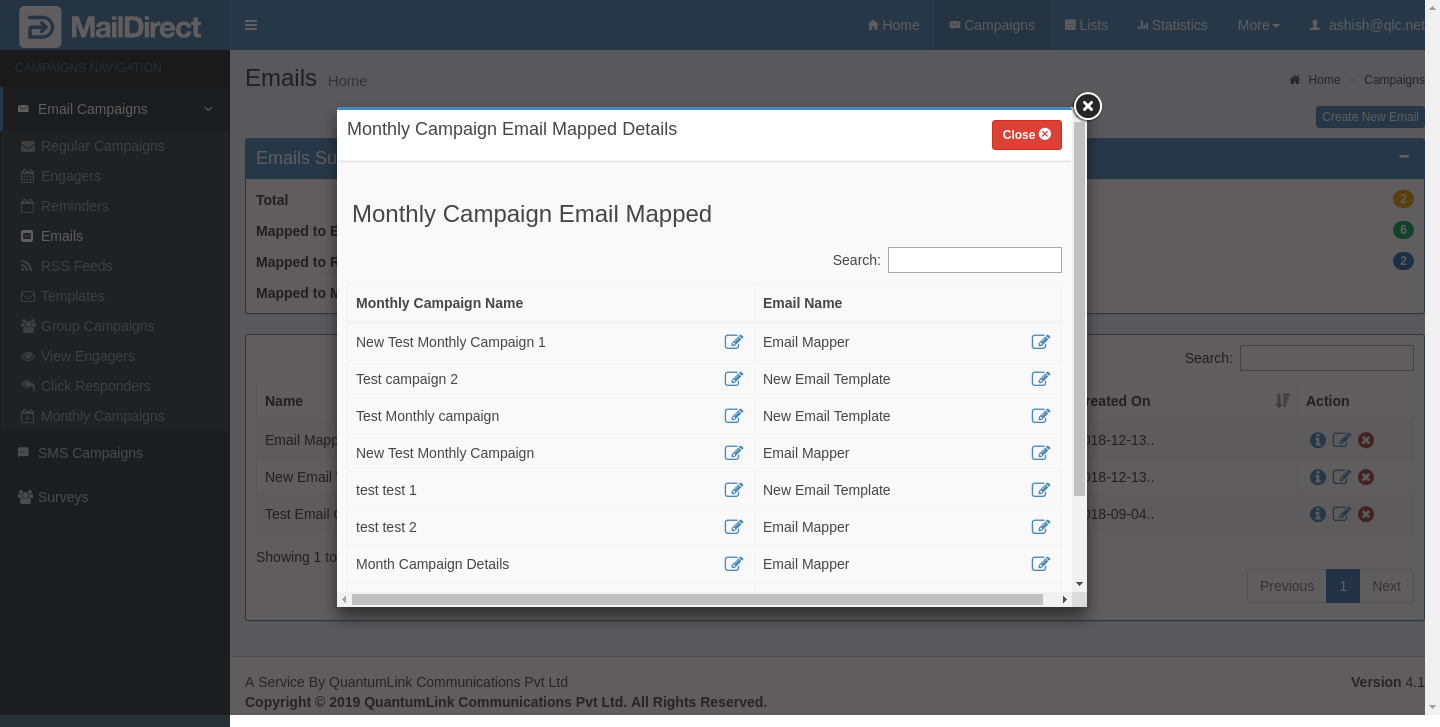
Figure : Monthly Campaigns Email Mapped Details
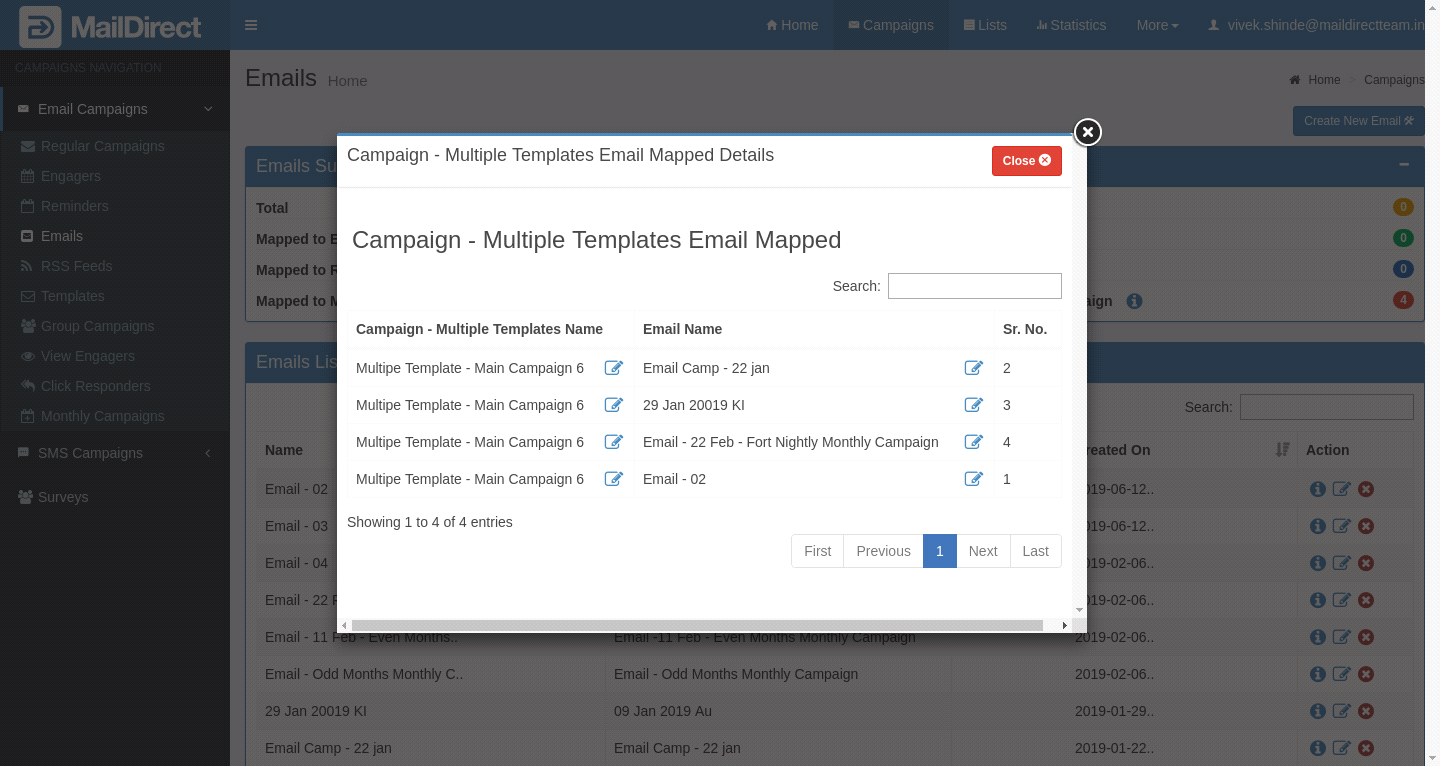
Figure : Multiple Template Campaigns Email Mapped Details
Emails List Section
In each row of Emails list, Click on  icon provided before edit on all email list details to display popup with details contains List of Engager, RSS Feed, Reminders, View Engagers, Click Responders, Multiple Template and Monthly Campaigns.
The Edit Button is available to edit mapped respective Engager, RSS Feed, Reminders, View Engagers, Click Responders, Multiple Template and Monthly campaigns and Selected Email.
After Click on icon MailDirect displays details below:
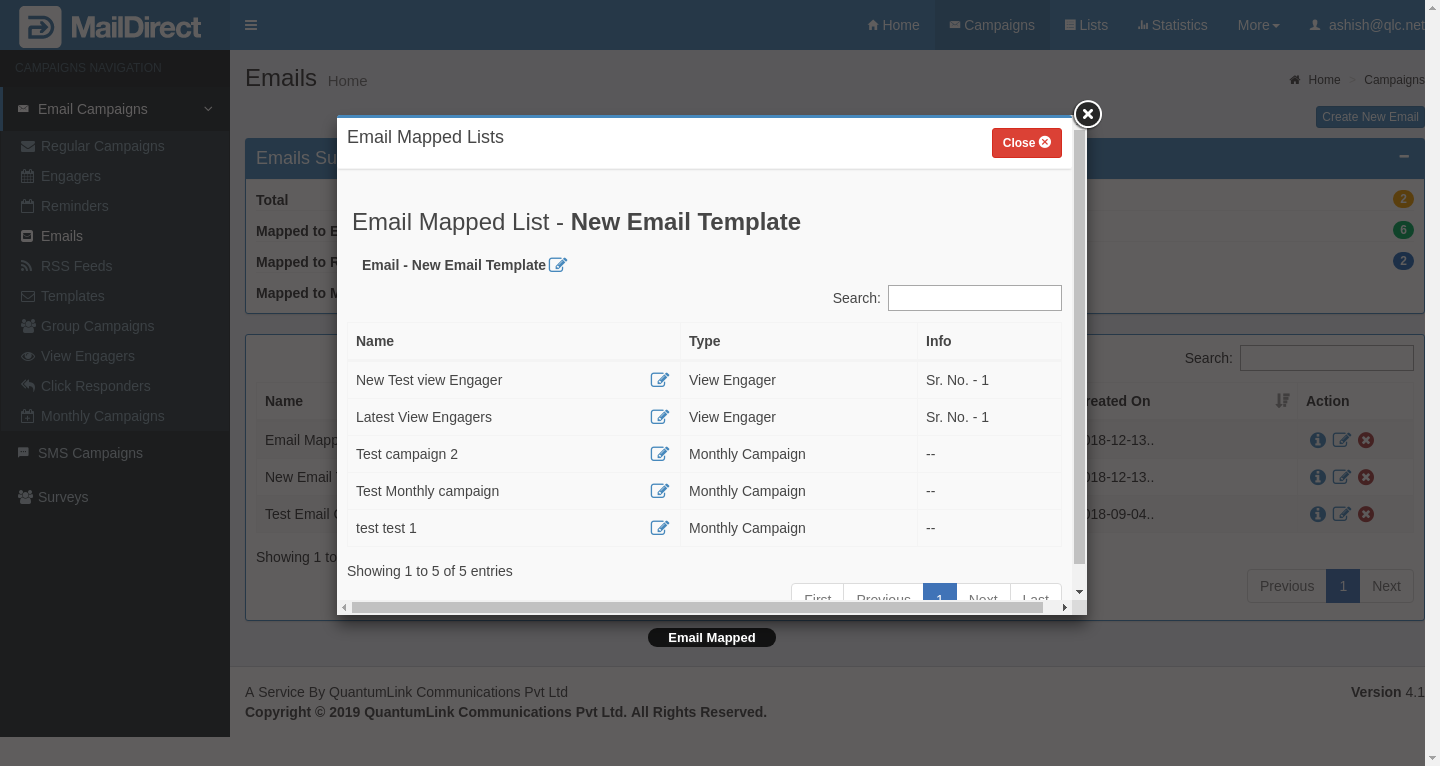
Figure : View Email Mapped to Services