 MailDirect Help
Emails Mapped
Emails Mapped
- The API retrieves the details of Emails mapped to Engagers, Reminders, RSS Feeds, Click Responders, View Engagers and Monthly Campaigns.
- For Engagers - the Details Includes Engager ID, Engager Name, Email ID, Email Name, From Name, Reply To, Subject, On Day.
- For Reminders - the Details Includes Reminder ID, Reminder Name, Email ID, Email Name, From Name, Reply To, Subject.
- For RSS Feeds - the Details Includes RSS Feed ID, RSS Feed Name, Email ID, Email Name, From Name, Reply To, Subject.
- For Click Responders - the Details Includes Click Responder ID, Click Responder Name, Email ID, Email Name, From Name, Reply To, Subject.
- For View Engagers - the Details Includes View Engager ID, View Engager Name, Email ID, Email Name, From Name, Reply To, Subject, Sr No.
- For Monthly Campaigns - the Details Includes Monthly Campaign ID, Monthly Campaign Name, Email ID, Email Name, From Name, Reply To, Subject.
- For Multiple Template - the Details Includes Campaign ID, Campaign Name, Email ID, Email Name, From Name, Reply To, Subject.
- The Details File downloaded in the form of zip if Download As Zip File is checked or download simple text file.
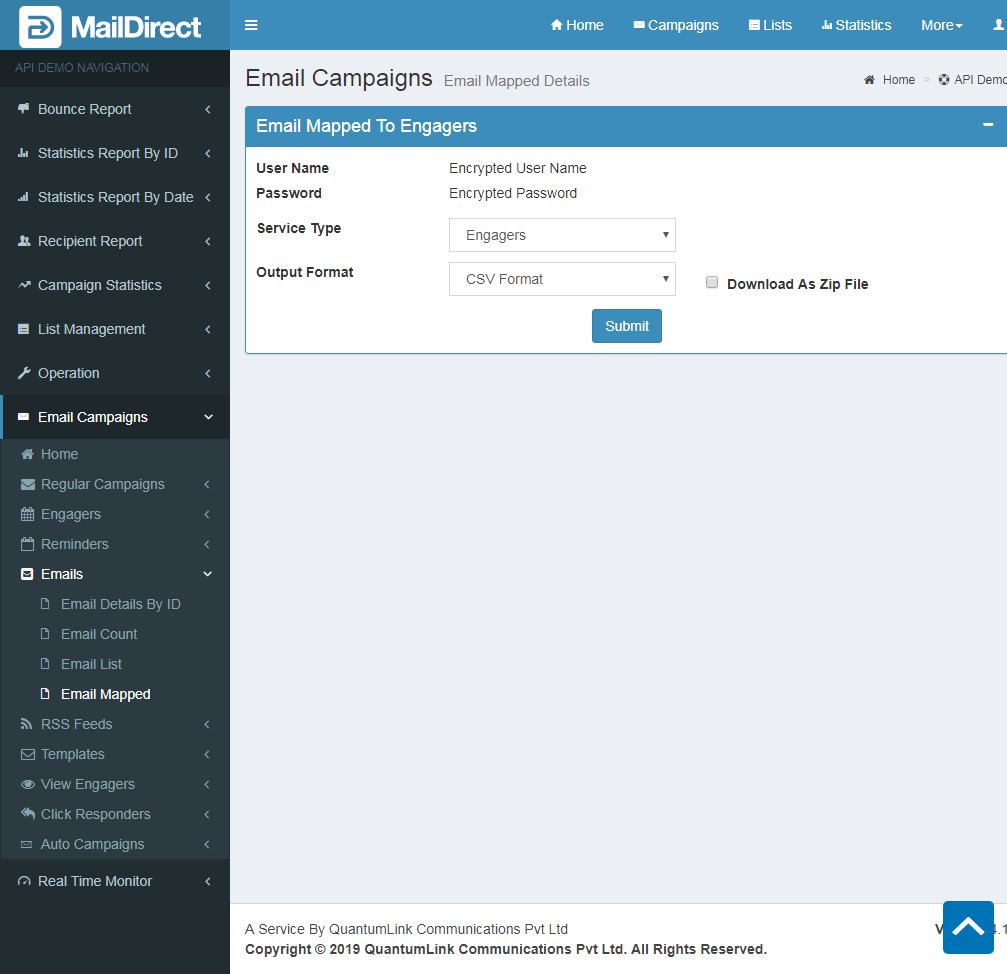
Figure : Emails Mapped
Table : Emails Mapped
|
Sr |
Fields |
Description |
|
1 |
username |
Encrypted User Name |
|
2 |
password |
Encrypted Password |
|
3 |
Service Type |
The service types to fetch details are required. The Service Type includes Engagers, Reminders, RSS Feeds, Click Responders, View Engagers, Monthly Campaign and Multiple Template. |
|
4 |
Output Format |
The Format of the file to be downloaded for details. i.e. csv or json or xml |
|
5 |
Download As Zip File |
The Type of file to be downloaded for details. i.e. zip or text |