MailDirect Help
Group Campaign Statistics Home Page
Group Campaign Statistics Home Page
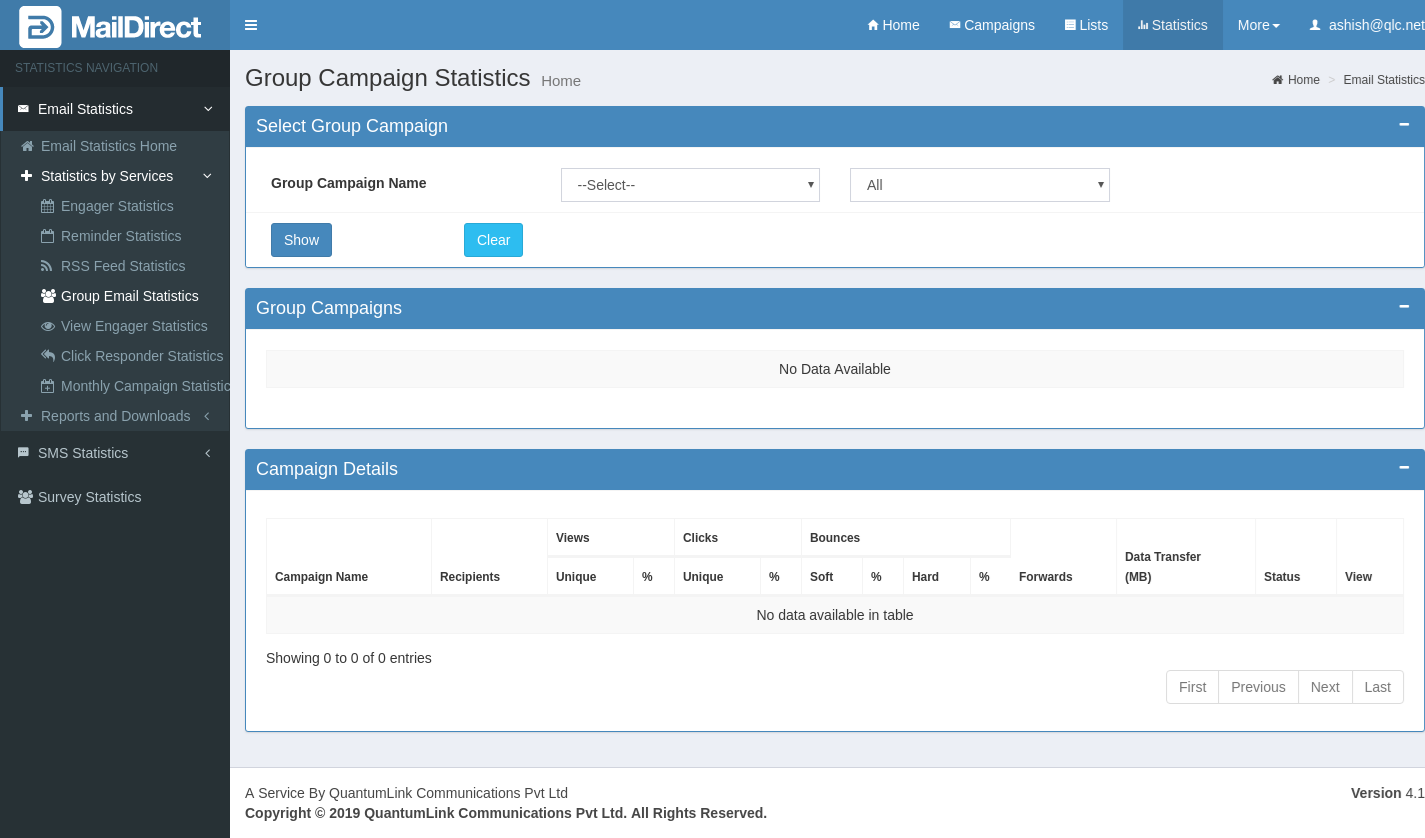
Figure : Group Campaign Statistics Home Page
The Group Campaign Statistics displays the list of Email Campaigns Send, whenever the Group Campaign is triggered based on Group Campaign Selected. User can select All Campaign Send or based on the Date Range Selected. The Group Campaign details are also displayed.
Table : Group Campaign Statistics
|
Field |
Description |
|
Group Campaign |
|
|
Group Campaign |
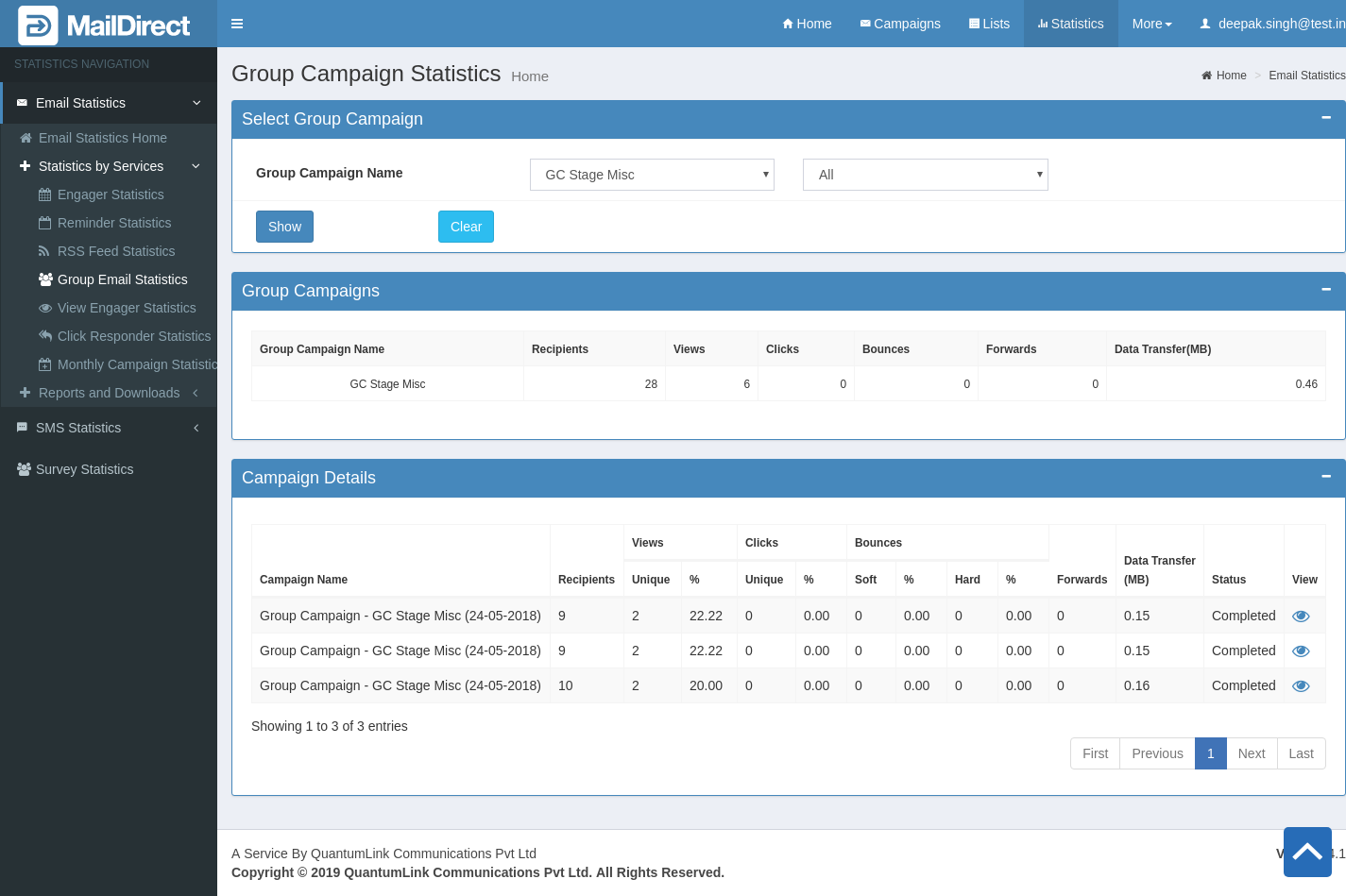
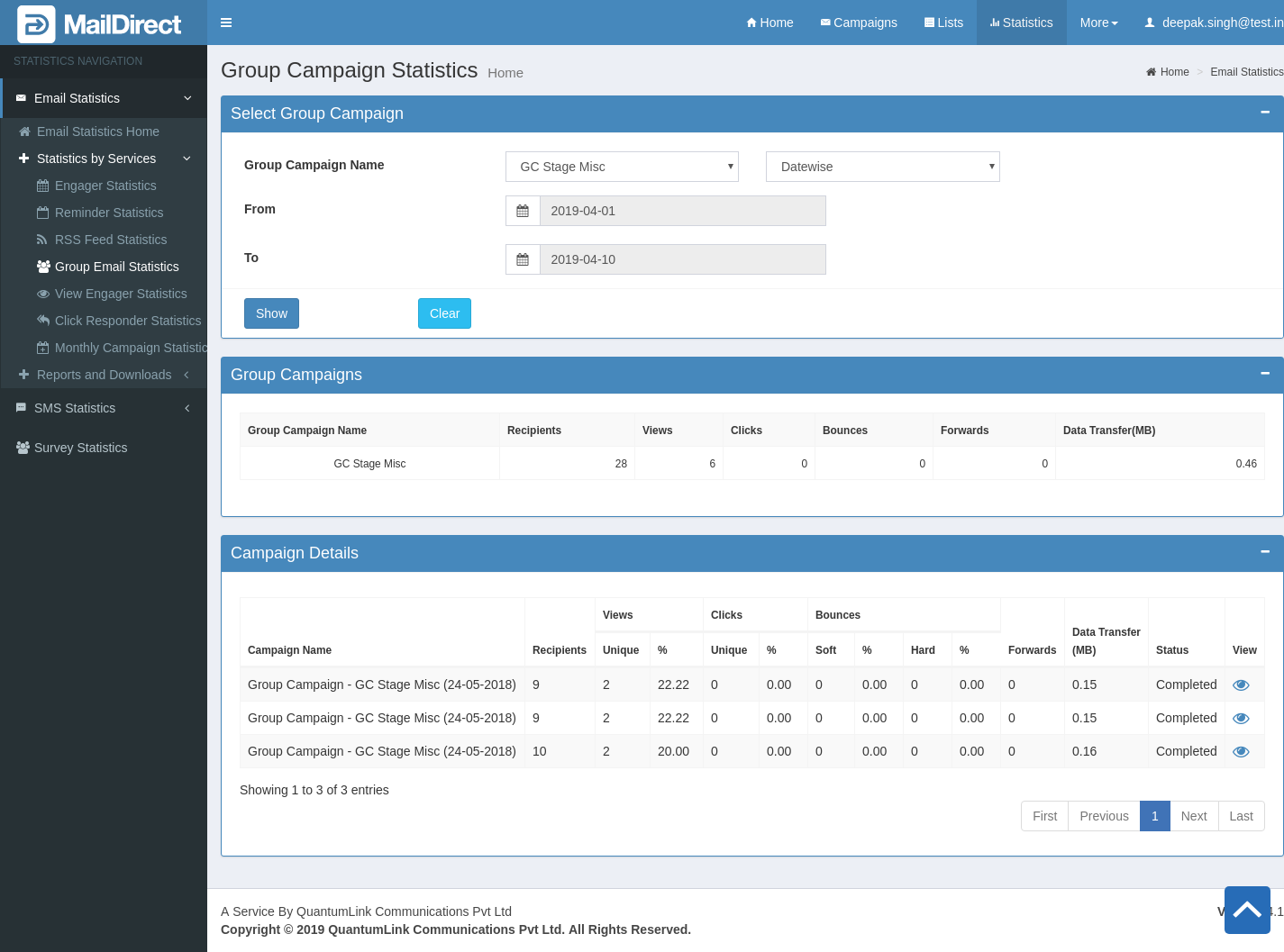
This section display Group Campaign Dropdown, which contains Group Campaign list, and another dropdown is to select Group Campaign from all the Group Campaign or between selected date ranges. When click on Show button MailDirect will display selected Group Campaign details and the details of the Campaign triggered by Group Campaign. If user clicks on Clear button it will reset all values.
Figure : Display Group Campaign details and Campaigns send on Triggering Group Campaign With All Option If user selects date wise option from second dropdown, MailDirect displays Group Campaign and Email Group Campaign Details from selected date range
Figure : Display Group Campaign details and Campaigns send on Triggering Group Campaign With Selected Date Range option |
|
Group Campaign Details. |
|
|
Group Campaign Details. |
This section displays group campaign details. Available fields are explained below. Group Campaign Name: This field displays name of the group campaign selected from dropdown. Recipients: This field displays total number of recipients mapped to the Group Campaign. Views: This field displays total number of recipients who have viewed Group Campaign. Clicks: This field displays total number of clicks of the links in the Group Campaign (if any link has been sent). Bounces: This field displays total number of Bounces of the Group Campaign. Forwards: This field displays total number of recipient to whom Group Campaign forwarded by user. Data Transfer (MB): This field displays total data transfer (in MB) of the Group Campaign. |
|
Campaign Details |
|
|
Campaign Details |
This section displays email campaign details of Group Campaign. Available fields are explained below, Campaign Name: This section displays Group Campaign - Email Campaign name. Recipients: This section displays total number of recipients mapped to the Group Campaign - email campaign. Views: This section displays total number of unique views of the Group Campaign email campaign, it also display ratio (%) of total unique views. Clicks: This section displays total number of unique clicks of the links in the Group Campaign email campaign (if any link has been sent), it also display ratio (%) of total unique clicks. Bounces: This section displays the number of Group Campaign emails bounced.
Hard Bounce: This field displays the total number of email addresses from which the Group Campaign - email campaign has bounced due to domain of email id does not exist. It also shows ratio (%) of the hard bounces.
Soft Bounce: This field displays the total number of email addresses from which the Group Campaign - email campaign has bounced due to Server down or if mail box is full. It also shows the ratio (%) of total soft bounces. Forwards: This section displays the total number of recipient to whom Group Campaign - email campaign forwarded by user. Data Transfer (MB): This section displays the total Data Transfer of the Group Campaign - email campaign in MB. Status: This section displays the status of Group Campaign - email campaign weather it’s completed or not. View: |