 MailDirect Help
Group Campaign Wizard – Provide Details
Group Campaign Wizard – Provide Details
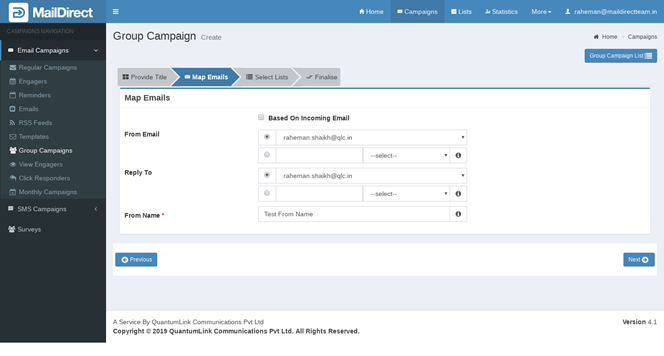
Figure : Create Group Campaign - Provide Details
Table : Create Group Campaign - Provide Details
|
Field |
Description |
|
From Email |
Type an appropriate email ID from which the campaign will be sent This field is mandatory |
|
Reply To |
Type an appropriate email ID to which all the replies for the campaign will be received This field is mandatory |
|
From Name |
Type an appropriate sender name This field is not mandatory |
|
Based on Incoming Email |
If Select then It hide above section From Email, Reply To and From Name and send campaign sand detail from incoming email details |
- Enter the appropriate details in the required fields.
- Mail Direct displays the Group Campaign Wizard Provide Detail screen with Based on incoming Email selected.
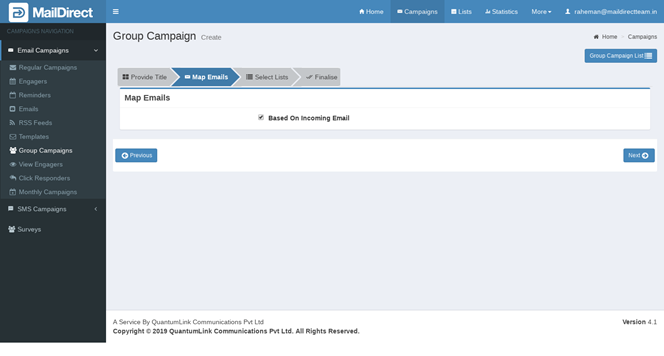
Figure : Create Group Campaign – Provide Details - Based on Incoming Email
- Click the
 Next button.
 - Mail Direct displays the Group Campaign Wizard List Map screen.