 MailDirect Help
Map to Test Lists
Map to Test Lists
- This section provides instructions on how to map the test recipients to the test lists.
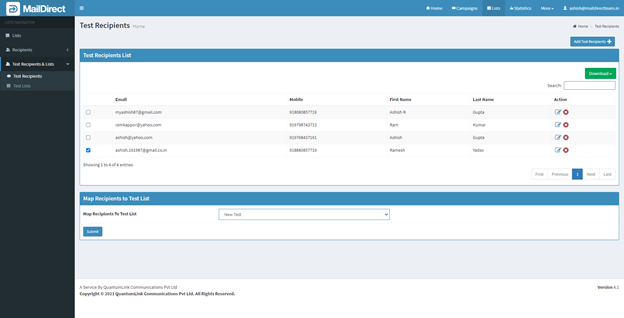
Figure : Test Recipients>Map Test Recipients
- To perform map to test list action, select test recipient to map to list from test recipient's list, (Check Check-box), and select a list to which recipient to be mapped from test list drop down.
- Click submit button, it will display message no of recipients – Test Recipients Mapped.

Figure : Test Recipients>Test List Mapped
- Click on OK Button MailDirect will displays Test Lists Home

Figure : Test Recipients> Test Lists Home after Mapping Recipients