 MailDirect Help
Real Time Monitor
Real Time Monitor
- The API Retrieves the list of Real Time Monitor details based on campaign type – Email Campaign, SMS Campaign and Survey.
- For Email Campaign, the Details include Campaign Name, Status, Total Recipients, Sent, View Count, Click Count, Bounce Count, Data Transfer, Start Date Time and Last Updated On.
- For SMS Campaign, the Details include Sms Campaign Name, Status, From Label, From GSM, From CDMA, Total Recipients, Sent, Not Sent, Start Date Time and Last Updated On
- For Survey, the Details include Survey Name, Survey Type, Total Recipients, Questions, Total Responses, Start Date and Expiry Date
- The Details File downloaded in the form of zip and text.
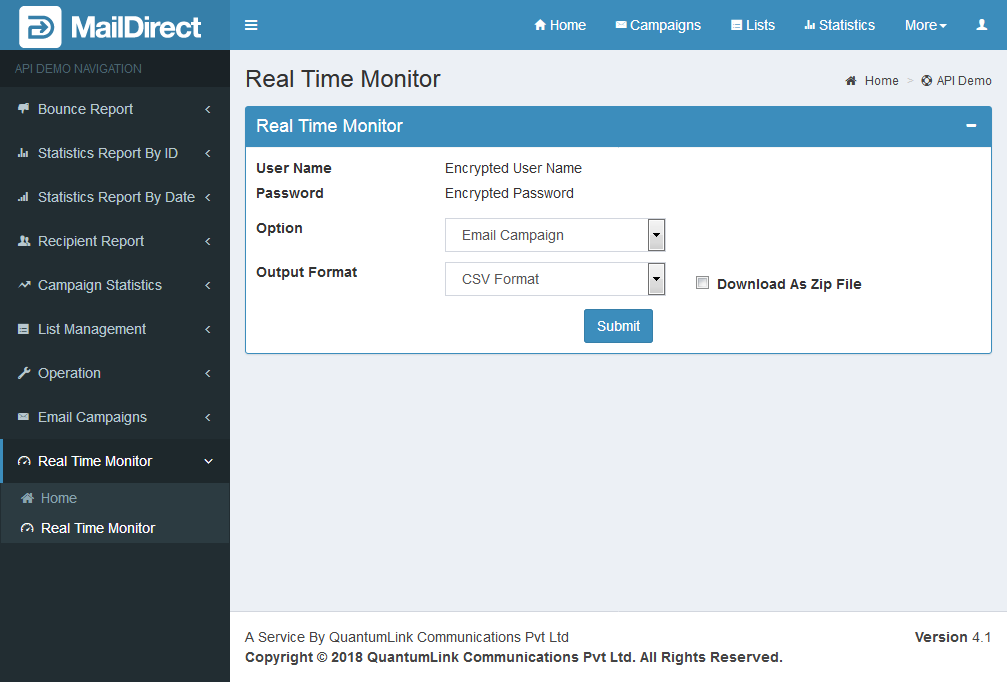
Figure : Real Time monitor
Table : Real Time Monitor
|
Sr |
Fields |
Description |
|
1 |
username |
Encrypted User Name |
|
2 |
password |
Encrypted Password |
|
3 |
option |
The parameter to fetch real time monitor for active campaign. The options are Email Campaign, SMS Campaign and Survey. |
|
4 |
Output Format |
The Format of the file to be downloaded for details. i.e. csv or xml or json |
|
5 |
Download as Zip File |
The Type of the file to be downloaded for details. i.e. zip or text |