 MailDirect Help
Schedule SMS Campaign
Schedule SMS Campaign
This option is available at Sms Campaign Wizard – Finalize Section, Quick Sms Campaign and Preview SMS Campaign Details page.
To schedule a campaign for launch at a later time using the Schedule button:
- Click the Schedule button from Sms Campaign Details or from the Finalize page.
- Mail Direct displays Schedule SMS Campaign screen.
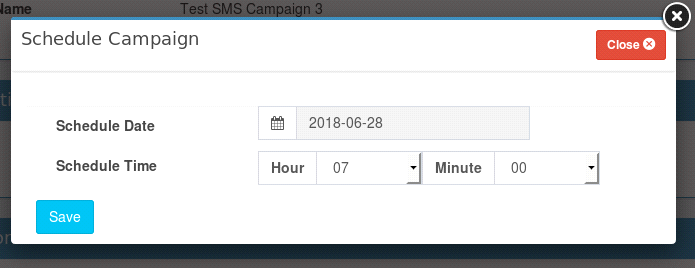
Figure : SMS Schedule Campaign
Table : SMS Schedule Campaign
|
Field |
Description |
|
SMS Campaign Schedule Date |
Select an appropriate date on which the campaign will be launched, from the calendar |
|
SMS Campaign Schedule Time |
Select an appropriate hour and minute at which the campaign will be the launched, from the drop - down lists |
Note: A campaign can only be scheduled to launch every hour or at the 15th, 30th and 45th minute of an hour.
- Click the Save button.
- Mail Direct displays the Create New Campaign screen with the campaign added to the Scheduled SMS Campaigns section.
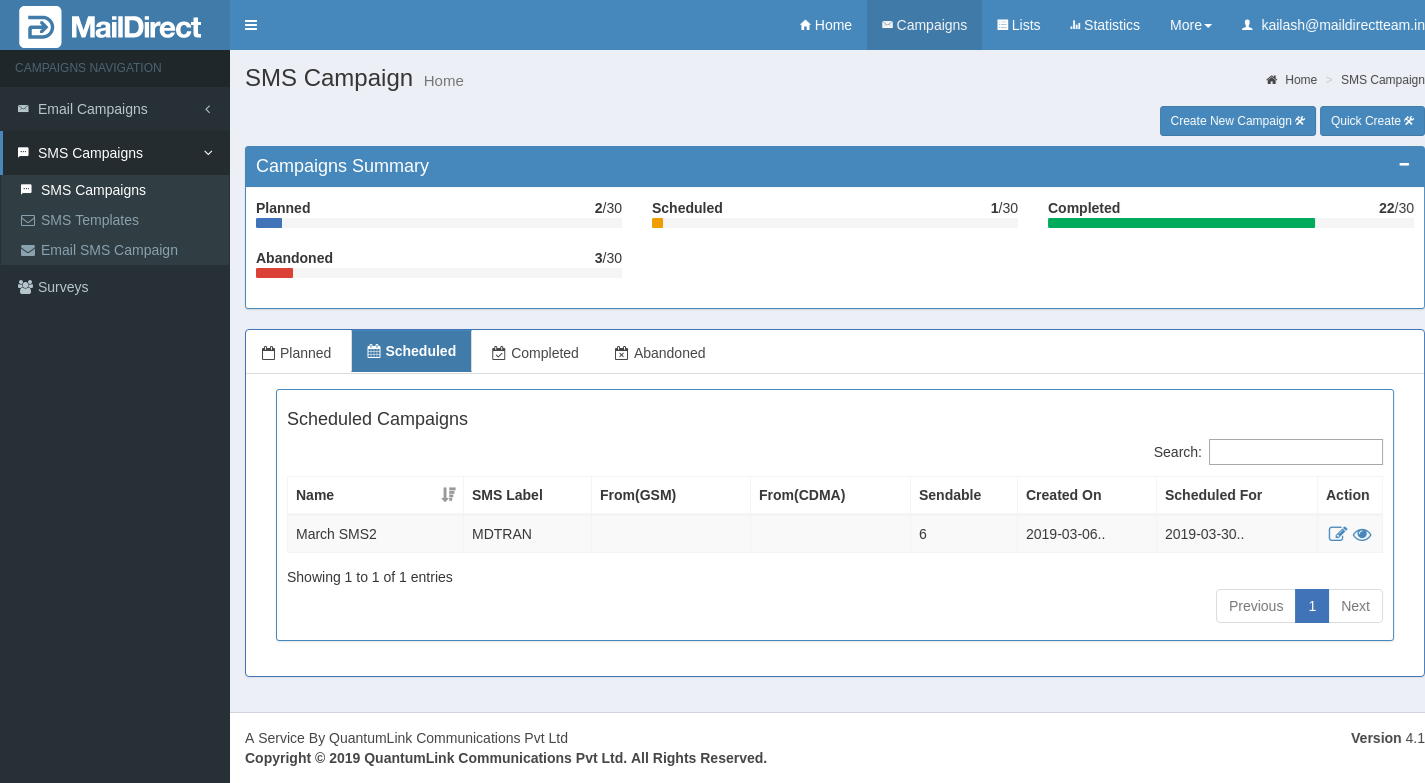
Figure : SMS Campaign List -Schedule
- Select the appropriate details in the required fields.