 MailDirect Help
Search Email Send/Viewed/Clicked/Bounced Home
Search Email Send/Viewed/Clicked/Bounced Home
When clicking on Search link in Report and Downloads Section of Left Menu, MailDirect will displays the Search screen.
This section provides user to search based on Email Recipients, to whom Campaigns were Sent within the selected Date Range. On Submit the page displays the details of the Campaign Sent, Viewed, Clicked and Bounced by the Recipients
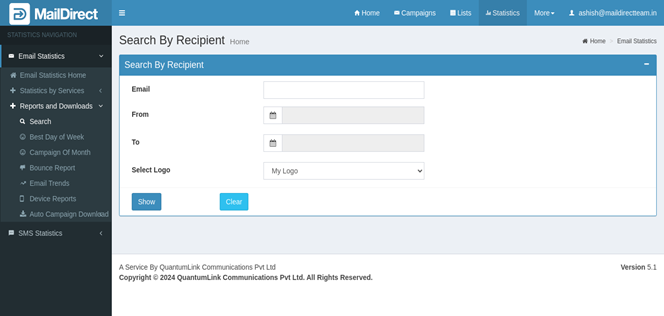
Figure : Search by Recipient Home
Table : Search by Recipient
|
Field |
Description |
|
|
This field provides field to enter email Id to search how many campaign sent to it and its statistics. Enter valid Email ID. This field is mandatory |
|
From |
This field provides calendar (date picker) to select from date. From date should not be greater than to date. This field is mandatory |
|
To |
This field provides calendar (date picker) to select to date. To date should not be greater than from date by 30 days. This field is mandatory |
|
Select Logo |
This field provides drop down list of client repository exists. If data is not exists, This option is not displayed on the page. |
|
Show |
This field provides submit button |
|
Clear |
This section provides reset button |
- When user enters email id to search how many campaign sent to it and select from and to date and clicks on Show button.
- MailDirect displays screen with details like number of campaign sent to the email id and Show Details link which displays campaign details.
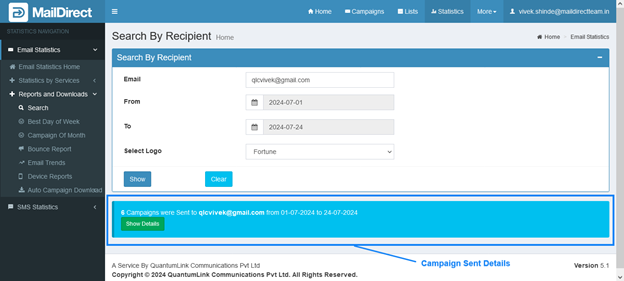
Figure : Search by Recipient – Show Details
- When user clicks on Show Details link MailDirect will display campaign details screen.
- Tabs are provide to display Sent, Viewed, Clicked and Bounced Details.
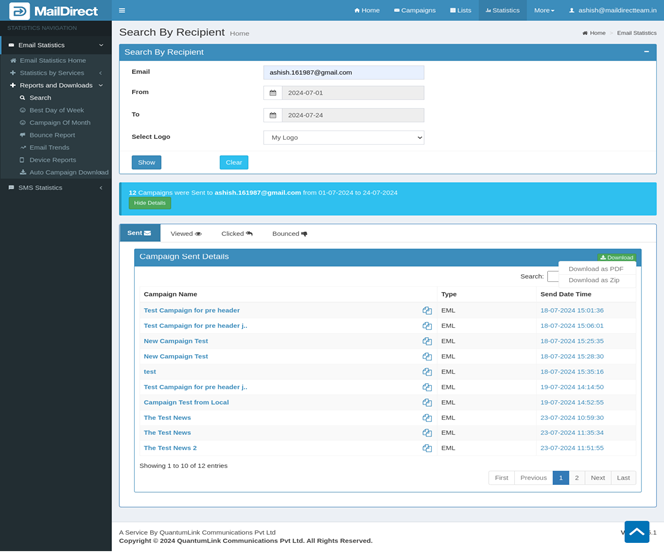
Figure : Search by Recipient – Sent Campaigns Details

Figure : Search by Recipient – Viewed Campaigns Details
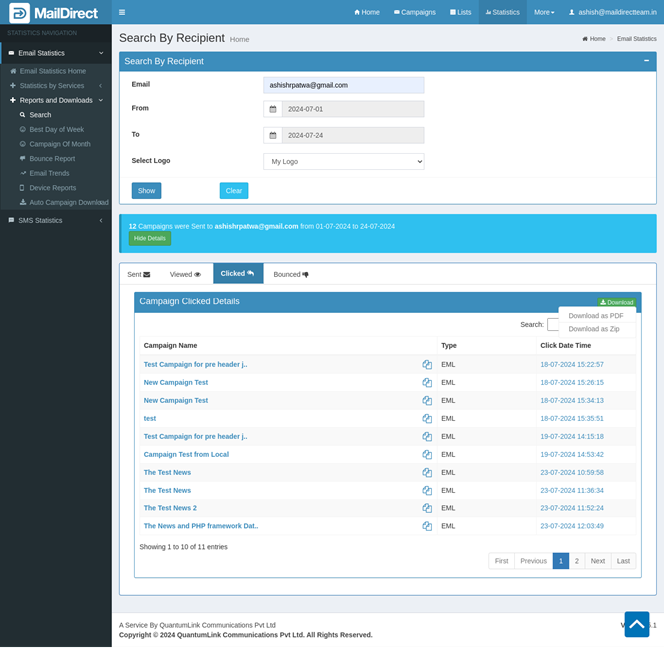
Figure : Search by Recipient – Clicked Campaigns Details
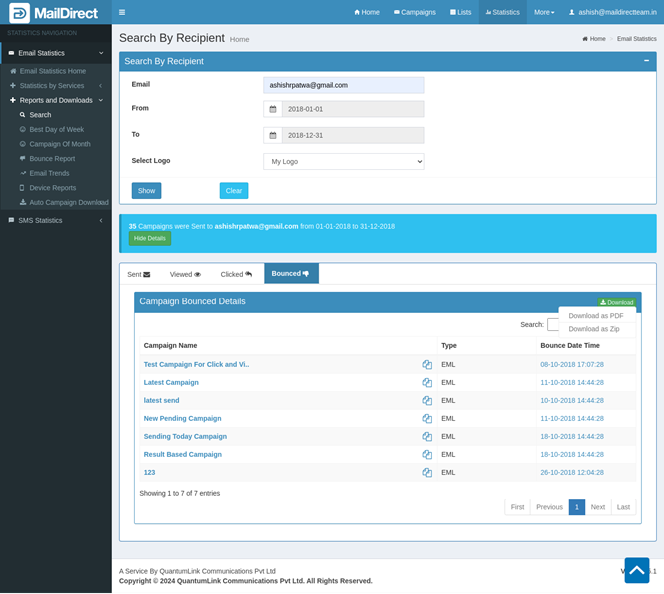
Figure : Search by Recipient – Bounced Campaigns Details
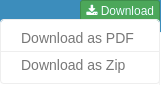
The Download button with a PDF or Zip option is displayed when data exists in selected tabs, i.e. Send, View, Click and Bounce tab. The details of the data on a selected tab are downloaded in the chosen format after selecting the Download as PDF or Download as Zip option.
Table : Statistics > Sent Campaigns Details
|
Field |
Description |
|
Campaign Name |
This field displays name of campaign sent to email id |
|
Copy Link |
This icon displays link to copy campaign sent to entered email id |
|
Type |
This Field displays type of campaign file i.e. EML or HTML/TEXT |
|
Send Date Time |
This Field displays send date time of campaign |
|
Search |
This Field fetches campaign detail from all campaign by using campaign name, campaign id or campaign description |
- When user click on name of the campaign, MailDirect redirects campaign statistics details page of the Campaign Clicked.