 MailDirect Help
Auto Campaign Download By Campaign Subject
Auto Campaign Download By Campaign Subject
This section allows the user to download auto campaign details by campaign subject within a specified date range. Other parameters include options such as Send, Delivered, Viewed, Not Viewed, and Bounce (Hard and Soft) recipients. A save and/or email link option is provided to send the download file to a specified email address.
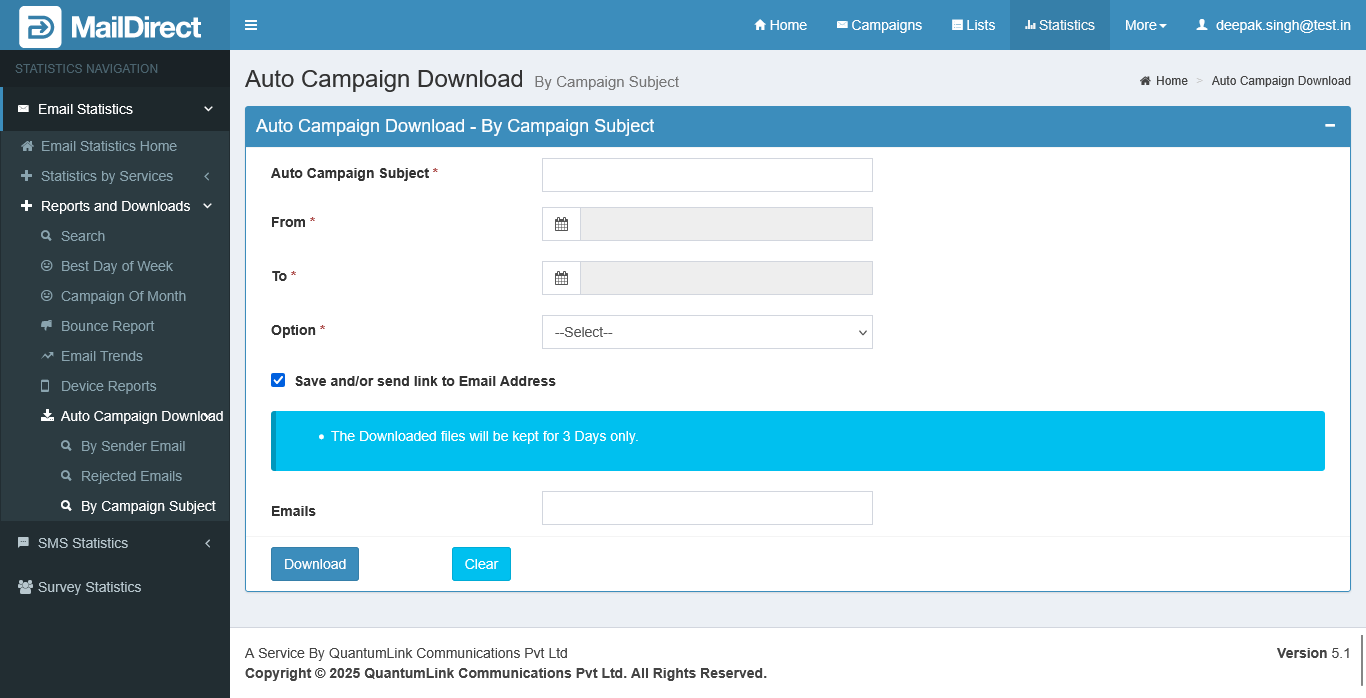
Figure : Auto Campaign Download - by Campaign Subject
Table : Auto Campaign Download - by Campaign Subject
|
Field |
Description |
|
Auto Campaign Subject |
This field provides field to enter campaign subject to download auto campaign how many campaign sent by this subject and its statistics. Enter Complete Valid Campaign Subject. This Field is mandatory |
|
From |
This field provides calendar (date picker) to select from date. From date should not be greater than to date. This field is mandatory |
|
To |
This field provides calendar (date picker) to select to date. To date should not be greater than from date by 30 days. This field is mandatory |
|
Option |
This field provides to select option to download auto campaign details based on this .Options are - Sent, Delivered, Bounced, Soft Bounce, Hard Bounce, Viewed, Unique Views, Viewed Location Wise, Not Viewed with Bounces and Not Viewed without Bounce. This field is mandatory. |
|
Save and/or send link Email Address |
This field provides, to send link of email address will expire after 3 days. The save file can be downloaded from Download page provide in account section. The download option will be active for 3 days. This field is not mandatory |
|
Email Address |
This field provides to send link of email address with attached file and link will expire after 3 days. This field is not mandatory |
|
Downlad |
This field provides submit button |
|
Clear |
This section provides reset button |