 MailDirect Help
Auto Campaign Download Home
Auto Campaign Download Home
When clicking on Auto campaign Download link in Reports and Download section of Email Statistics of left menu, MailDirect will display:
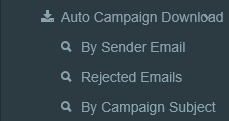
On Clicking By Sender Email will display Auto Campaign Download By Sender Email Page.
On Clicking Rejected Emails will display Auto Campaign Download by to Email Page.
On Clicking By Campaign Subject, the system will display Auto Campaign Download by Campaign Subject.