 MailDirect Help
Campaign Wizard – Compose Message
Campaign Wizard – Compose Message
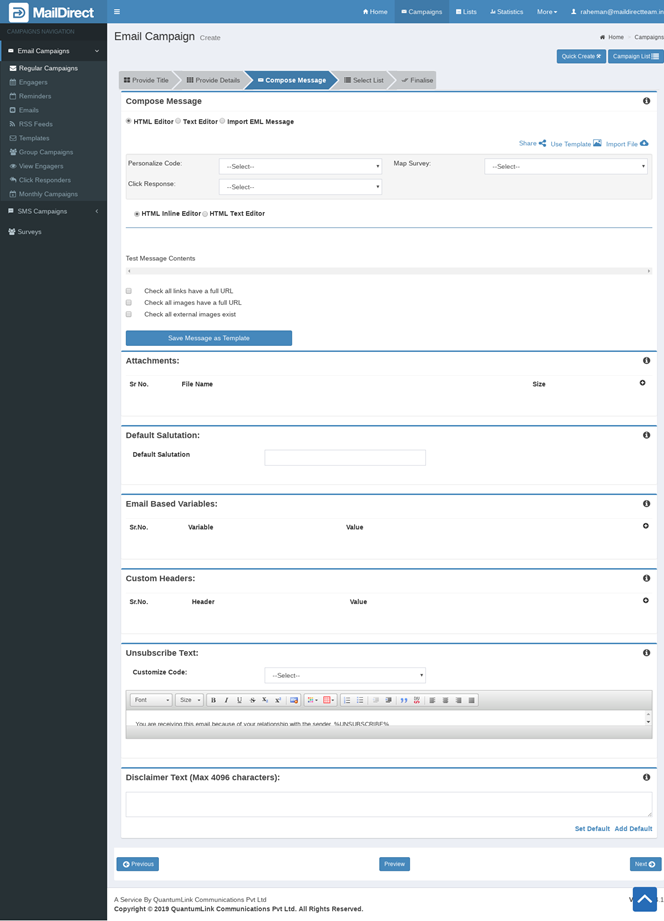
Figure : Creating New Campaign-Compose Page
Users can compose a campaign message by selecting:
- HTML Editor Option
- HTML Inline Editor option OR
- HTML Text Editor option
- TEXT Editor Option OR
- Import EML message option
HTML Editor.
Select the HTML Editor option (By Default Select) to compose a message in HTML format.There are two options in HTML Editor Option