 MailDirect Help
Campaign Wizard – Select Lists - Based on Earlier Campaign Result
Campaign Wizard – Select Lists - Based on Earlier Campaign Result
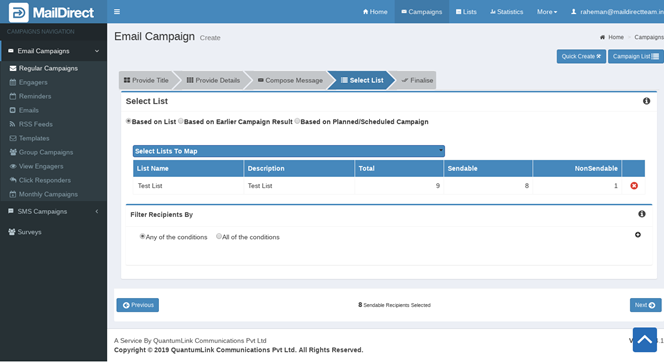
Figure : Creating New Campaign –Based On Earlier Campaign Result
The filtering is done on the basis of Any of the Conditions or All the Conditions based on the option selected.
Click  to add the conditions and
  to remove the corresponding conditions.
Table : Create New Campaign - Lists - Conditional Campaign
|
Field |
Description |
|
Campaign |
The dropdown lists the Names of Completed Regular Campaigns. Select any Campaign, then View Status Drop Down and links exists in the campaign along with check box and Click Status Drop Down. |
|
View Status |
The View Status provides Option to select Viewed or Not Viewed Recipients. |
|
Click Status |
In case link exists, select check box of the link and select option from Drop Down – Clicked or Not Clicked. |
|
Sendable |
Displays the Sendable number of Recipients |
The total sendable recipients are provided at the bottom of the section:

Figure : Create New Campaign - Sendable Recipients
- Click
 the Next button.
 - Mail Direct displays brief details and Actions screen.