 MailDirect Help
Campaign of Month Home
Campaign of Month Home
When clicking on Campaign of Month link in Report and Downloads Section of Email Statistics Section of Left Menu, MailDirect will display the Best Campaign of Month screen.
This section provides user to show best campaign of month details, which includes Best subject, Best From Name, Best From Email, Best Send Time, Best Message and Best lists.
By using best campaign details user can create new best campaign, here user can also schedule campaign, campaign will be scheduled at best send time of best campaign of month.
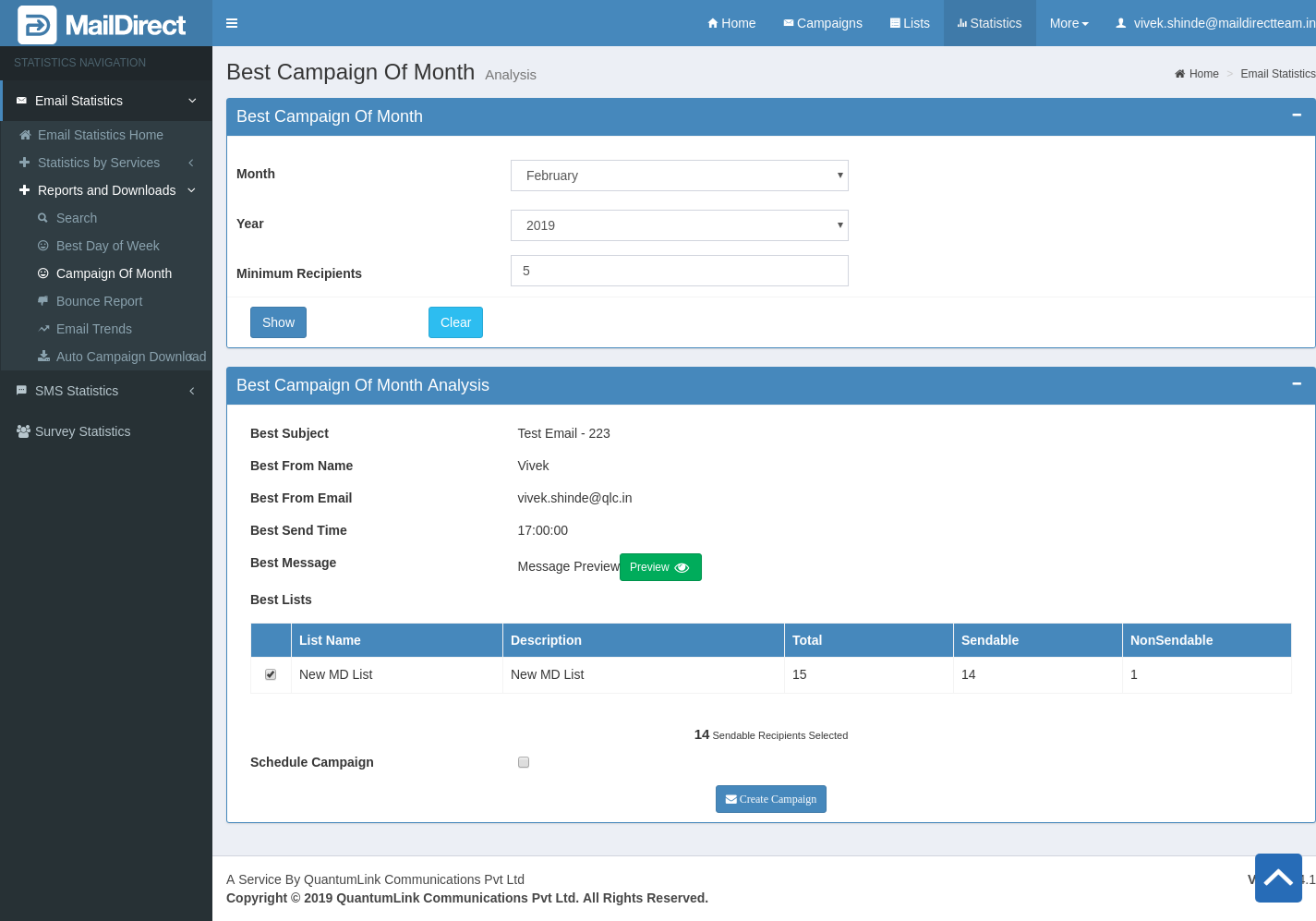
Figure : Best Campaign of Month
Table : Statistics > Best Campaign of Month
|
Field |
Description |
|
Month |
Select the appropriate options to specify the Month for the Best Day of Week. This field is mandatory. |
|
Year |
Select the appropriate options to specify the Year for the Best Day of Week. This field is mandatory. |
|
Minimum Recipients |
Enter total recipient of campaign, then result will be display the detail from campaigns which has greater total recipients than minimum recipients. |
|
Show |
Submit Button. |
|
Clear |
Reset Button. |
- When user click on show button it shows campaigns details like Best subject, Best From Name, Best From Email, Best Send Time, Best Message and Best lists based on minimum recipients.
- When user clicks on Create Campaign button campaign will be created on the basis of best campaign of the month details like Best subject, Best From Name, Best From Email, Best Send Time, Best Message and Best lists. Here user can also schedule campaign, campaign will be scheduled at best send time of best campaign of month.
- If campaign created successfully it will display the success message and redirect to campaign list page.