 MailDirect Help
Download Test List
Download Test List
To download a Test List:
There are two options provided to download test recipients mapped to test list.
- Recipient With Custom Field
Downloads the Test Recipients mapped to the list With Custom Fields. i.e. All Custom Fields details are downloaded.
- Recipient Without Custom Field
Downloads the Test Recipients mapped to the list Without Custom Fields. i.e. Test List Name, Email, Mobile No, First Name and Last Name Fields details are downloaded.
- Click the Download
 link corresponding to the test list to be downloaded.

Figure : Download Test List Menu
- If download password is set from my account section, then it will ask for the download password and if it is not set then it directly downloads the csv content in zip format.
- If download password is set MailDirect displays Enter Download Password screen.
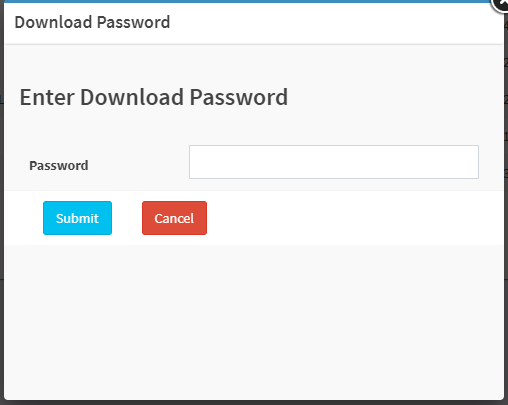
Figure : Download Test List - Enter Download Password

Figure : Download Test List - Save/Open
- Select the Save File option and click the OK button to download the file.
- After entering download password or password is not set MailDirect displays the Opening/Save test List screen.
Note: By default, the Save File option is selected.
- The user can also select the Open with option and select the suitable application using which the file can be viewed without saving it.