 MailDirect Help
Edit Engager
Edit Engager
- The API is used to Edit and plan/activate engagers based on Engager ID.
- The Other parameters include Engager ID, Engager Name, Email ID Days, Schedule Hour, Schedule Minutes List ID and Alert Email.
- The Details File downloaded in the form of zip if Download As Zip File is checked or download simple text file.
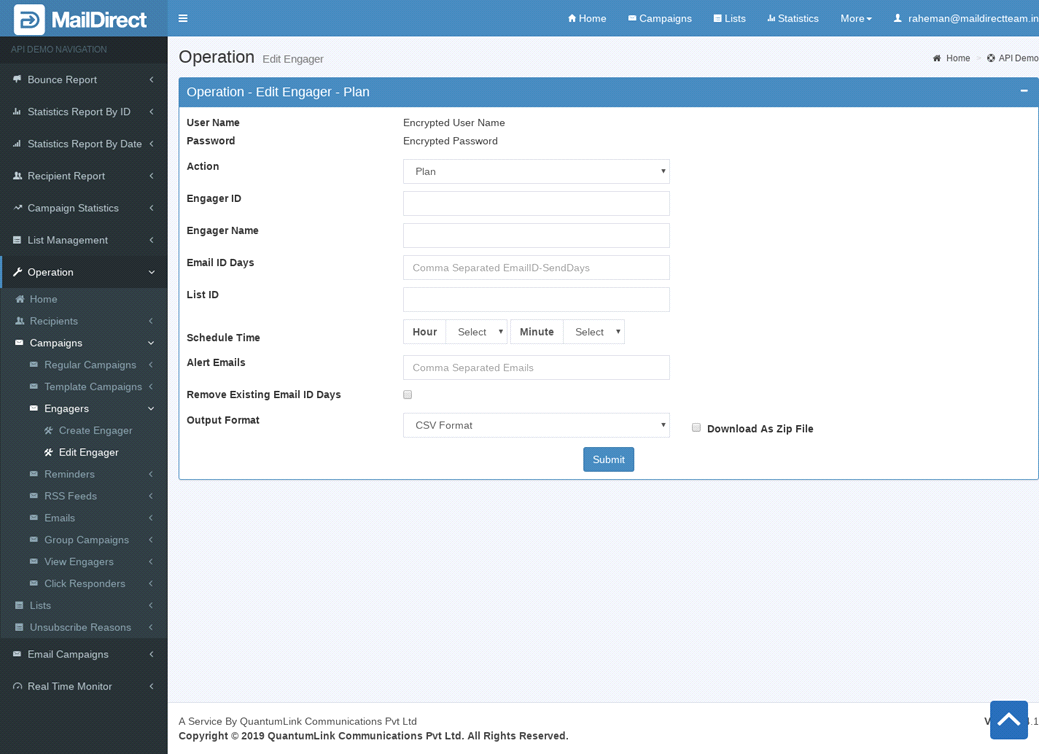
Figure : Edit and plan/activate Engager
Table : Edit and plan/activate Engager
|
Sr |
Fields |
Description |
|
1 |
Username |
Encrypted User Name |
|
2 |
Password |
Encrypted Password |
|
3 |
Action |
Plan or Activate Engager |
|
4 |
Engager ID |
Engager to be edited by Engager ID |
|
5 |
Engager Name |
Name of engager to be created |
|
6 |
Email ID Days |
Email ID of the email to be mapped to engager and response days |
|
7 |
List ID |
List ID of the list to be mapped to engager |
|
8 |
Schedule Hour |
This field allows to set schedule Hour for engager |
|
9 |
Schedule Minute |
This field allows to set schedule Minute for engager |
|
10 |
Alert Emails |
Email IDs to send alert emails |
|
11 |
Remove Existing Email ID Days |
Option to remove existing email id and send days |
|
12 |
Output Format |
The Format of the file to be downloaded for details. i.e. csv or xml or json |
|
13 |
Download As Zip File |
The Type of file to be downloaded for details. i.e. zip or text |