 MailDirect Help
Enable/Disable Google Analytics
Enable/Disable Google Analytics
Google Analytics adds additional parameters to the link which helps the site owner to know that the page was reached by Clicking MailDirect Service Campaign link along with Campaign details. When clicking  link in Campiagn Wizard Finalise Section or Email Wizard Finalise Section or Template Wizard Finalise Section, the pop up appears with the links that exists in the
message.
Clicking  of the corresponding link will enable Google Analytics and
  icon will be display. The Google Analytics will be disabled on clicking on
  and
and  will be displayed.
  icon is displayed, if the link is enabled and
  icon displayed, if the link is disabled.
Clicking  button enables all the links and clicking
  button disables all the links from Google Analytics.
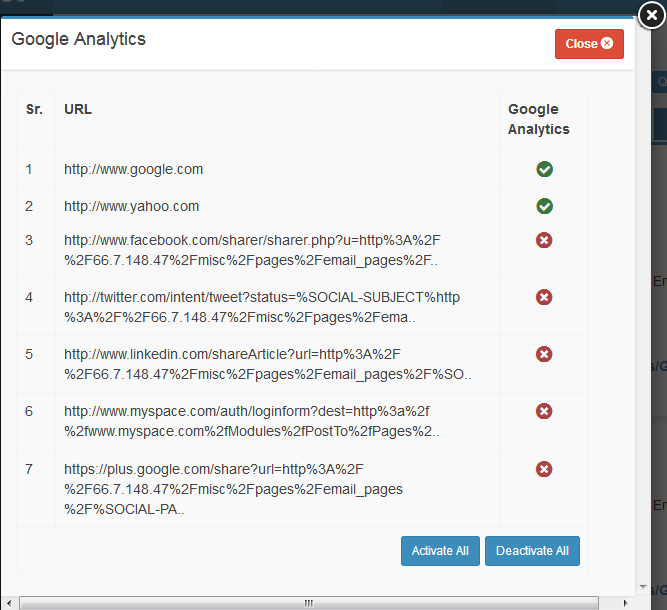
Figure : Google Analytics