 MailDirect Help
Preview – SMS Template Details
Preview – SMS Template Details
To preview a SMS Template details using the View button in home page:
- Click the View button
 at SMS Template Home Page to view SMS Template details.
 - Mail Direct displays the Details screen.
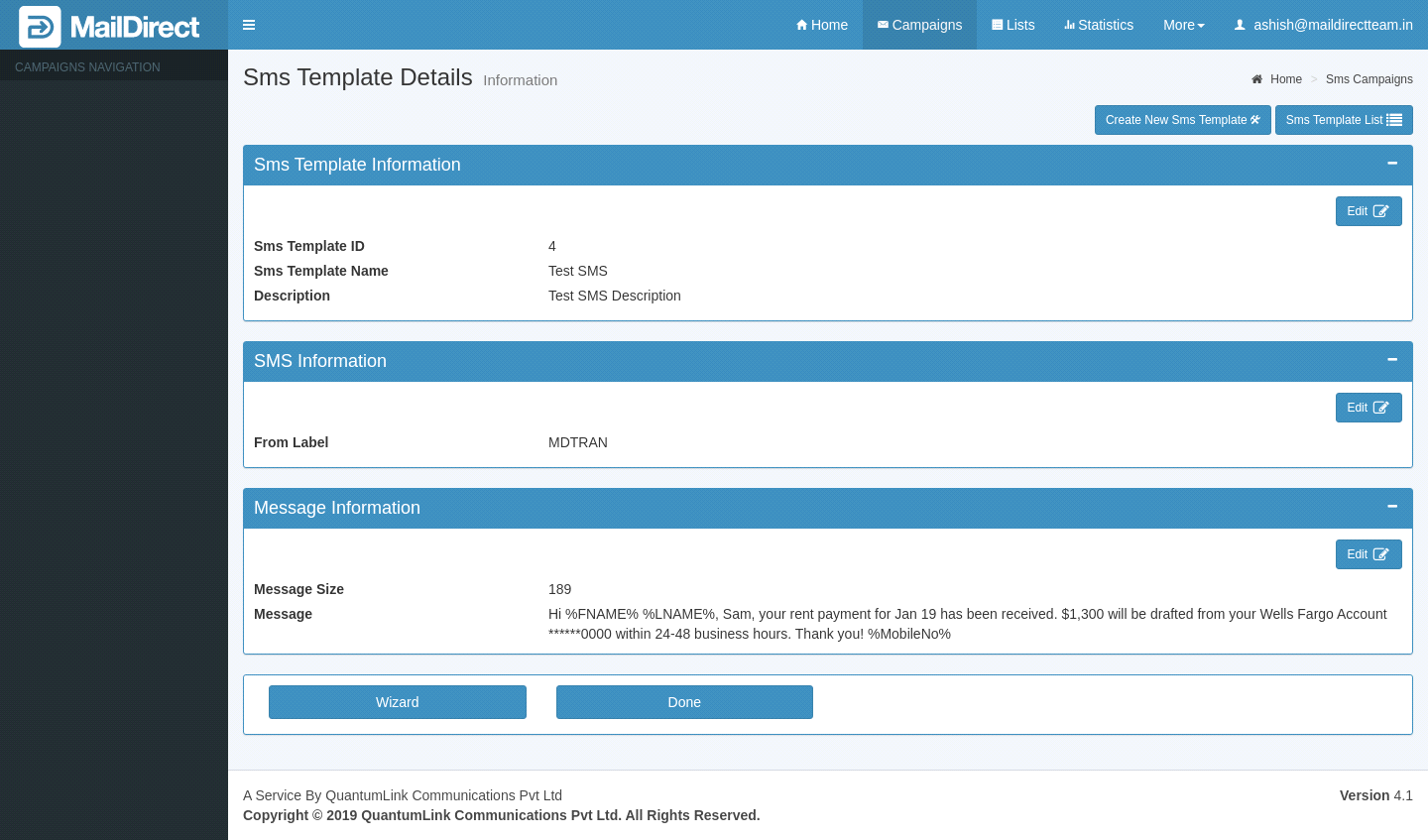
Figure : Preview SMS Template Details
SMS Template Information:
This section displays SMS Template Name, ID and Description. Clicking on edit button will display wizard page, where user can edit SMS Template information like Name and Description.
SMS Information:
This section displays SMS From Label detail.
Clicking on edit button will display SMS Template wizard page, where user can edit this information.
Message Information:
This section displays Message information. The detail includes content message and Message Count, clicking on edit button, will displays wizard page where user can edit message information.
Table : Preview SMS Template Details
|
Field |
Description |
|
|
|
|
|
Click this icon corresponding to the appropriate section to edit the information displayed in that section. |
|
|
|
|
|
Click this button to edit the SMS template that is currently being viewed. Note: The user can edit the entire SMS template. |
|
|
|
|
|
Click this button to return to home page of SMS template. |
|
|
|


- Click the appropriate icons/buttons as required.