 MailDirect Help
RSS Feed Wizard – Select List
RSS Feed Wizard – Select List
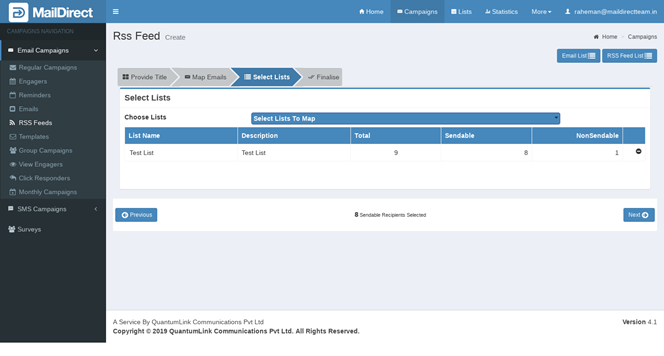
Figure : Create RSS Feed-Map List
Table : Create RSS Feed-Map List
|
Field |
Description |
|
Select Lists To Map |
Select the check boxes corresponding to the appropriate contact list/s to be mapped to the campaign. The campaign will be sent to all those who are included in these lists. |
|
List Name |
This section displays the name of the contact list. |
|
Description |
This section displays the description about the contact list. |
|
Total |
This section displays total number of recipients in selected list. |
|
Send able |
This section displays total number of Send able recipients in selected list. |
|
Non-Send able |
This section displays total number of Not Send able recipients in selected list. |
The mapped lists can be added by clicking Select List to Map and the required lists can be selected. Search/Filter Option is available to search by List Name. Option for Check All and Uncheck All is provided to select and unselect all lists. Clicking Add link maps the list to the RSS Feed.
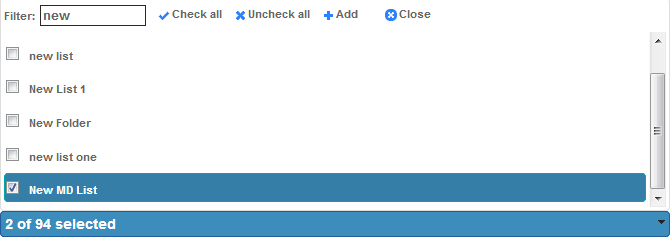
Figure : Create New Campaign - Select Lists
- Click on
 next button
- Mail Direct displays the RSS Feed Campaign Finalize Page