 MailDirect Help
SMS Campaign Wizard – Provide Details
SMS Campaign Wizard – Provide Details
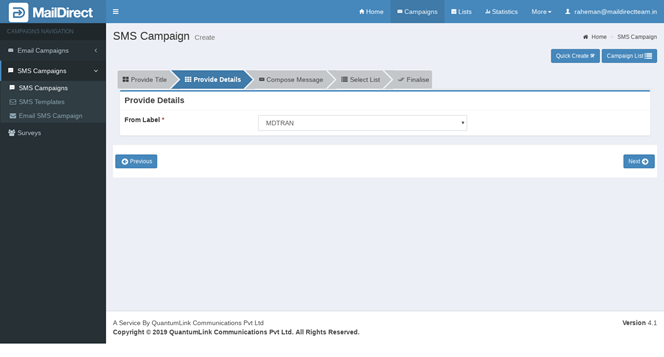
Figure : Create New SMS Campaign-Provide Details
Table : Create New Campaign-Provide Details
|
Field |
Description |
|
From Label |
Select Label (sender name) from which the campaign will be sent |
|
From GSM |
Select GSM number from which the campaign will be sent |
|
From CDMA |
Select CDMA number from which the campaign will be sent |
Note: For technical reasons, the user is advised to select both GSM and CDMA numbers.
- Click on next button

- Mail Direct displays the SMS Campaign Wizard Campaign Message screen.