 MailDirect Help
To Start MailDirect
To Start MailDirect
In the web browser, type the MailDirect URL and press ENTER.
The URL is: http://login.maildirect.co.in.
The MailDirect login screen is displayed.
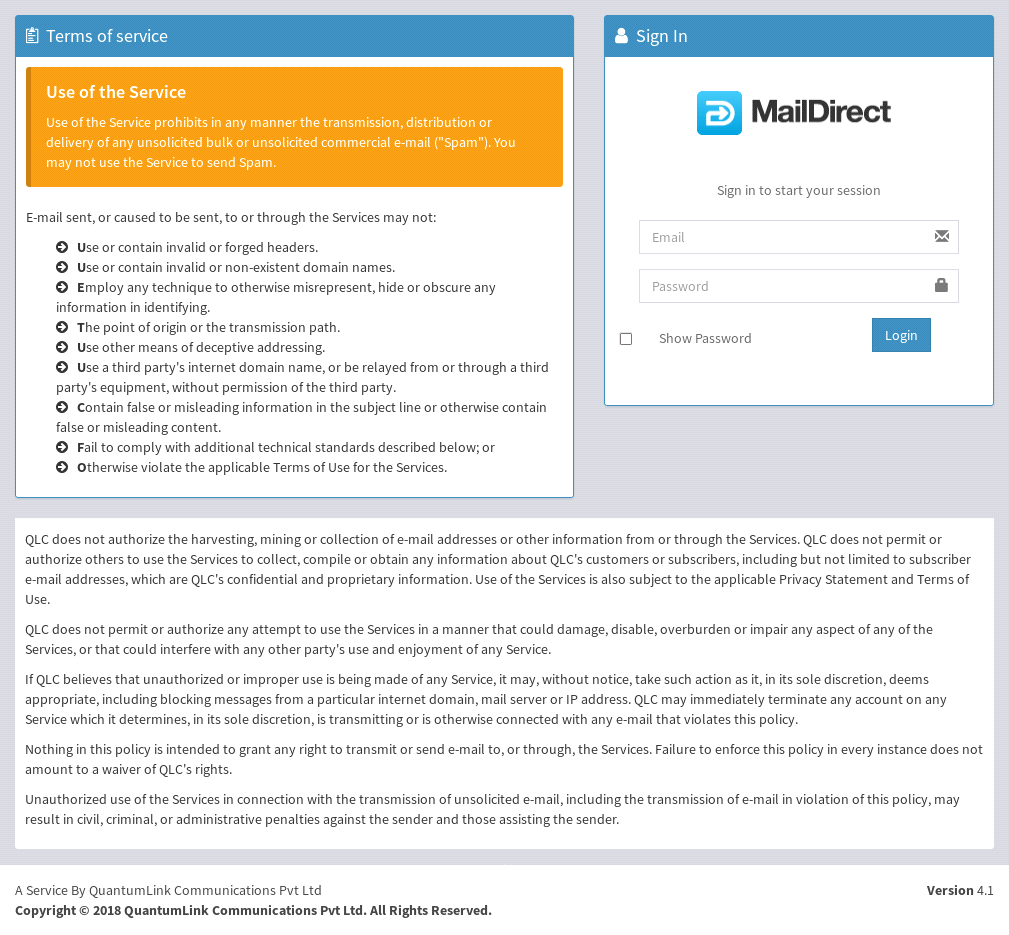
Figure : MailDirect Login Screen
Table : MailDirect Login Screen
|
Field |
Description |
|
Username |
Type the appropriate username This field is mandatory |
|
Password |
Type the appropriate password This field is mandatory |
|
Show Password |
This field displays checkbox, if this checkbox is checked password displays as text type in a password textbox |
Enter the appropriate details and click the Login button.
|
Note: If the user is already logged in, a message is displayed asking the user to re-enter the password and perform Force Login, Force Login causes the user to log out of the previous session. |
Terms and Conditions
When the user logs in for the first time, the Terms and Conditions page will be displayed as:
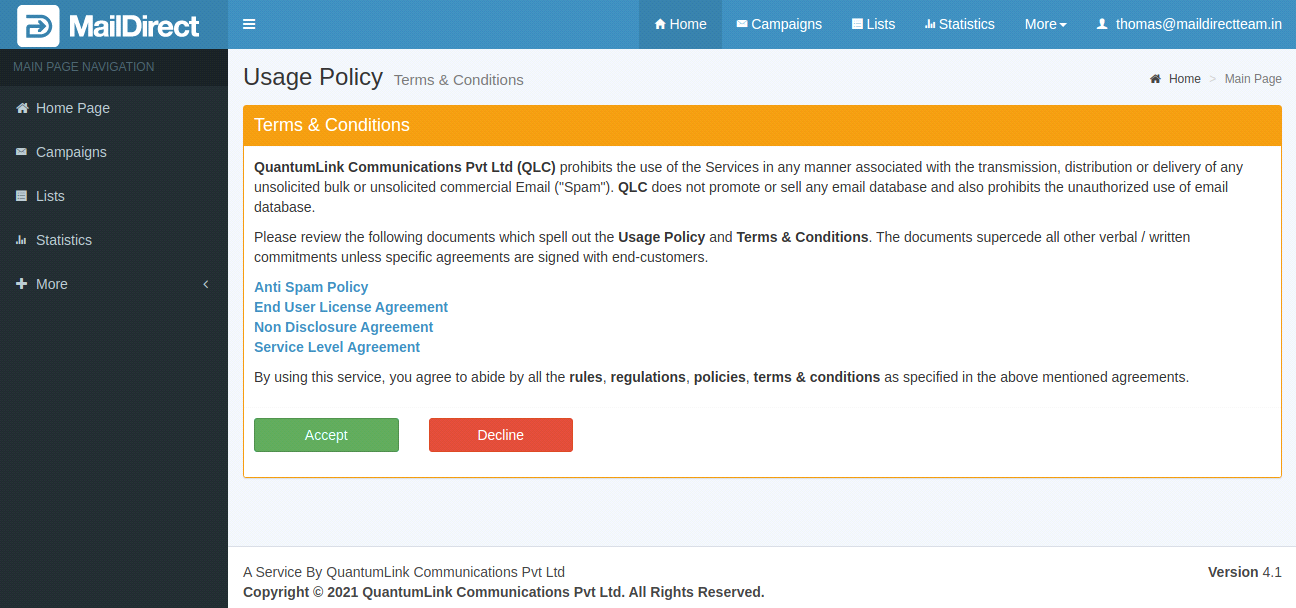
Figure : Terms and Conditions
Click Accept to proceed and clicking Decline will log out and the login page is displayed.
KYC Details
For First Time User the screen will appear to add KYC Details and periodically the screen will appear for the Users to edit KYC Details. The fields are Name, Designation, Email and Phone No. of Admin Technical and Billing/Accounts Contacts and Industry Type. All Fields are mandatory. On submitting, the page will redirect to Home Page.
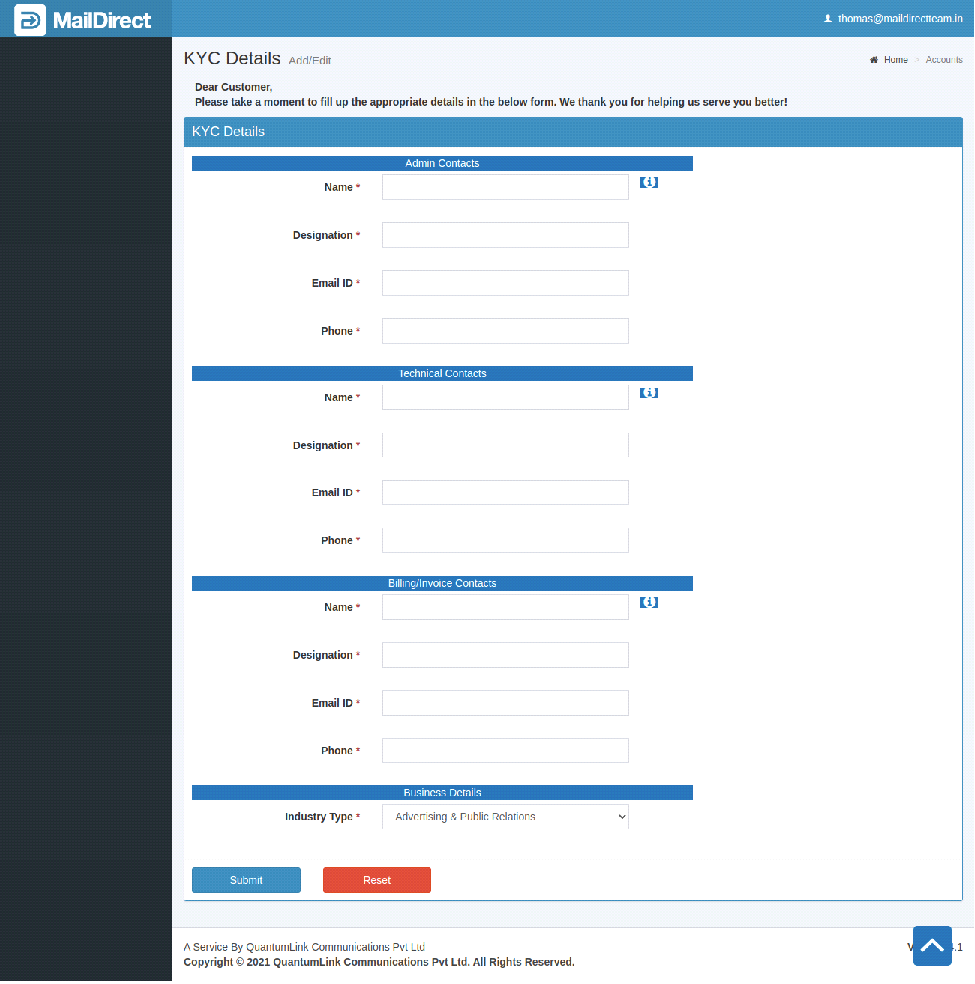
Figure : KYC Details
Two way Authentication
If the User has opt in for Two Way Login Authentication, a sms is send to Users Mobile providing the OTP to Login. The screen will appear as:
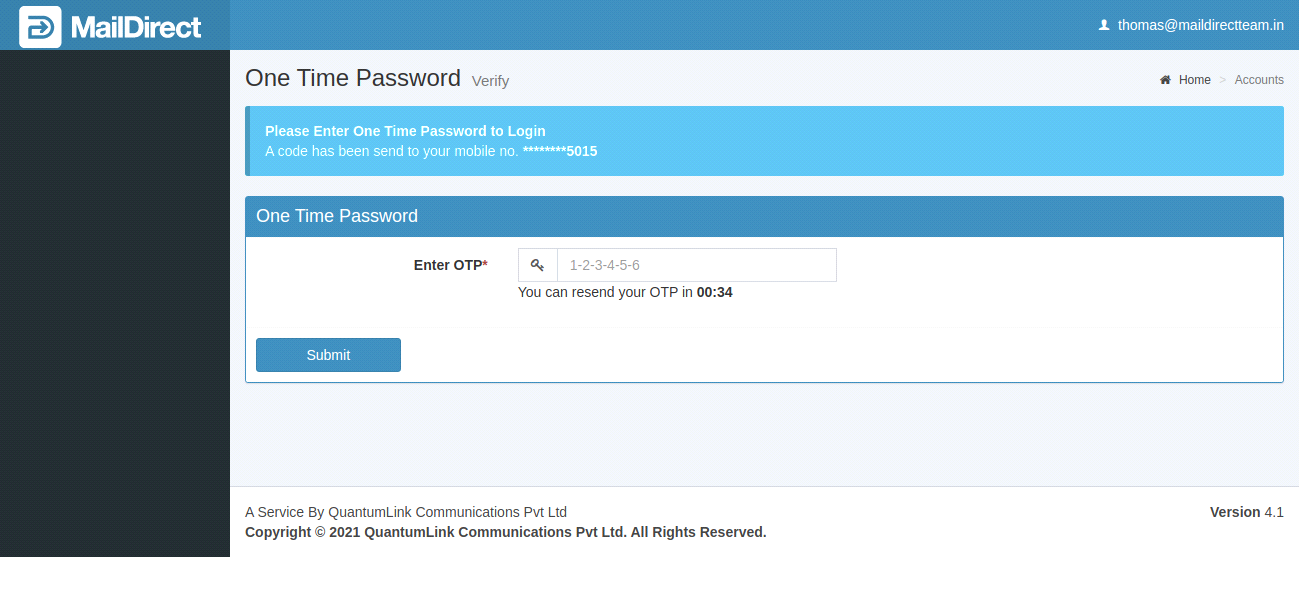
Figure : Two way Authentication
Enter the OTP received on Mobile and click Submit to proceed to KYC Details/Home Page.
In case the OTP is not received, Resend Button will appear; on clicking it will resend new OTP to your Mobile.

MailDirect Home Page
Home page is displayed as:

Figure : MailDirect Home Page