 MailDirect Help
Download Monthly Recipients
Download Monthly Recipients
When user clicks on Download Monthly Recipients link from left menu MailDirect will display the Monthly Report screen.
The user can Download Subscribed or Unsubscribed Email IDs for the Month.

Figure : Download Monthly Recipients
- Display and Download Monthly report of number of subscribers (added) and Unsubscribes recipients per month and also download using With/Without Custom fields.
- User can also save file and send link to email ids and download from download section. The Downloaded files will be kept for 3 Days only.
- Click Download Subscribe to Download Monthly Subscribed Email Recipients.
- Click Download Unsubscribe to Download Monthly Unsubscribed Email Recipients.
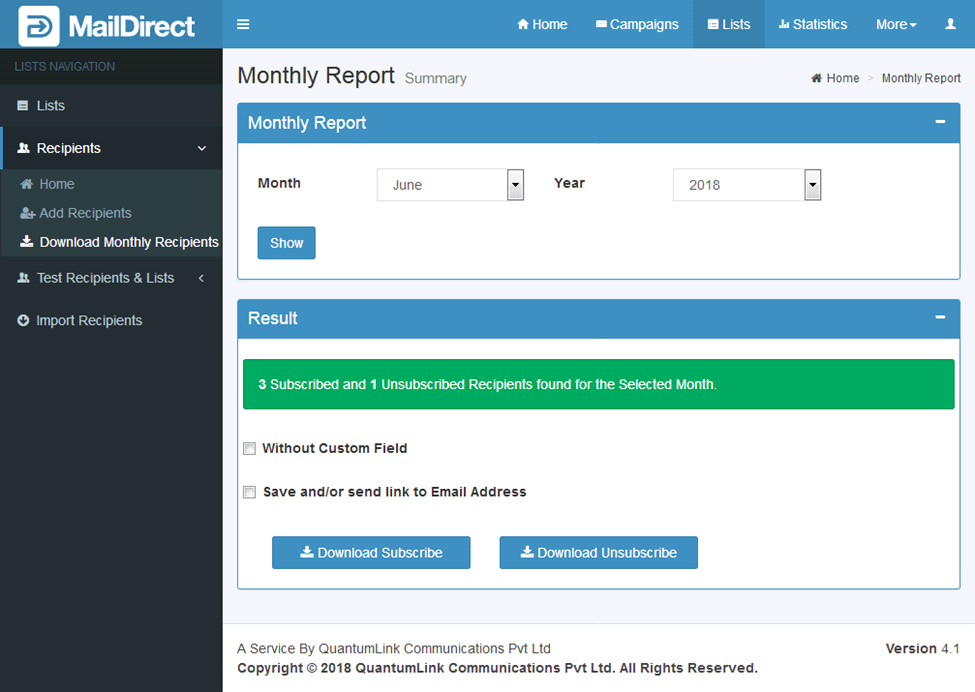
Figure : Download Monthly Recipient- without Custom Field
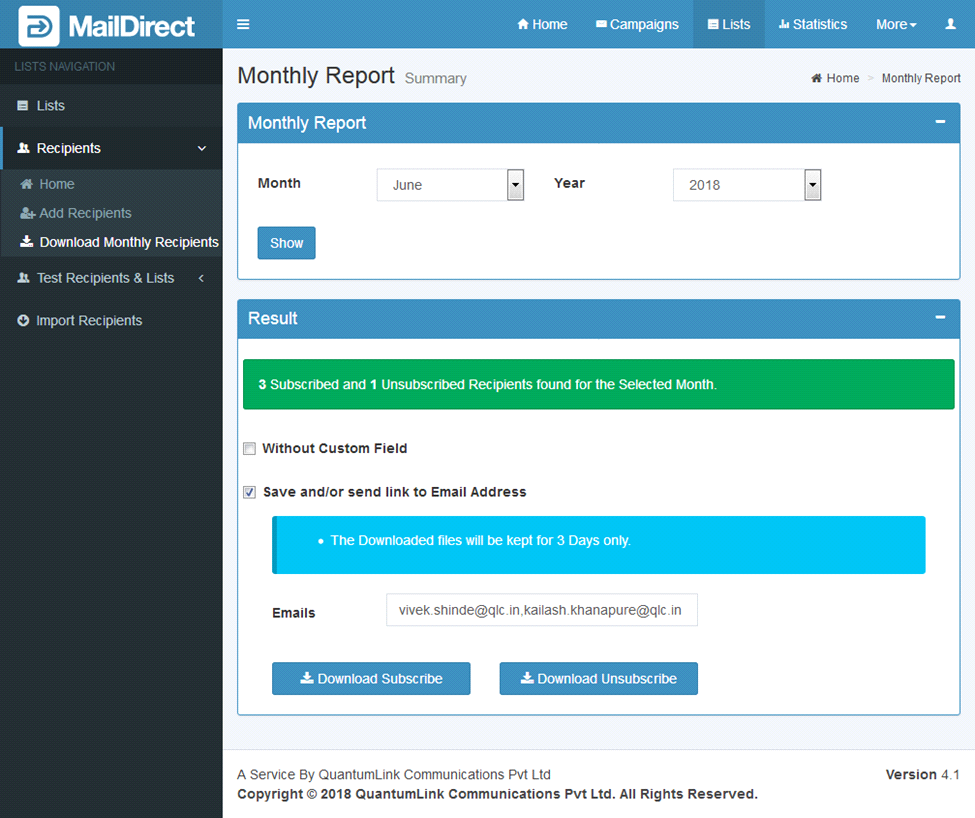
Figure : Download Monthly Recipient- Save and/or Send link to Email Address
If No Results are found, the Result will be shown as:

Figure : Download Monthly Recipient - No Results