 MailDirect Help
Download Recipients
Download Recipients
In Downloads Section the user has the option to download the following details:
(A) Blocked Email IDs
(B) Unsubscribed Recipients
(C) Restricted Recipients
(D) Recipient Tracker
(E) Blocked Mobile No’s
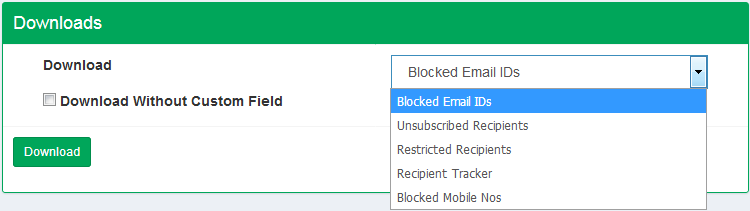
Figure : Select Action to Download Recipients Details
- Select the option like Blocked Email IDs, Unsubscribed recipients, Restricted Recipients, Blocked Mobile Nos.
- If Download without Custom Field is checked then details downloaded without Custom field, if not selected then it downloads details with custom field.
- Click on Download List button.
- If download password is set from my account section, then it will ask for the Download password and if it is not set then it directly displays download window.
- If download password is set MailDirect displays Enter Download Password screen.
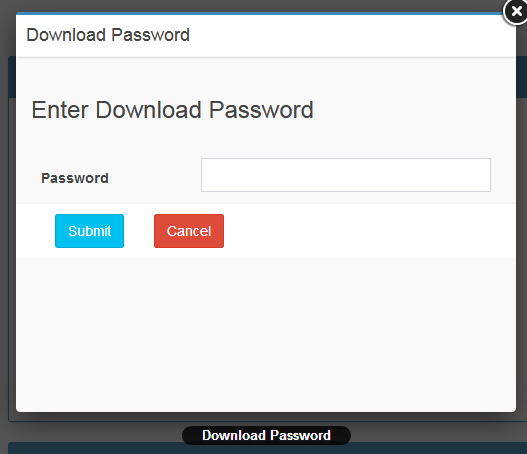
Figure : Enter Download Password Screen to Download Recipients
- After entering download password OR if password is not set MailDirect displays the Opening/Save List screen.
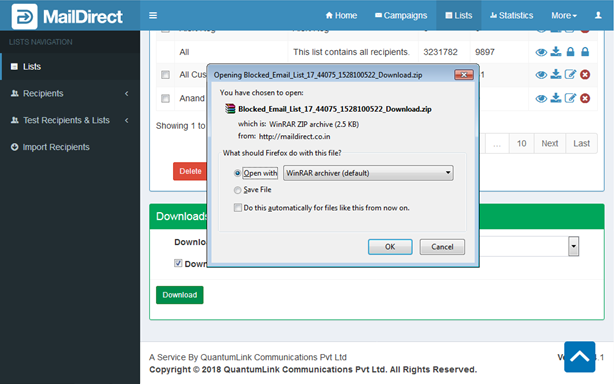
Figure : Download Recipients – Open/Save