 MailDirect Help
Searching and Managing Contact List
Searching Contact List.
The list section provides the details of Contact List, with individual row which displays List Name, List Description Email IDs mapped to the List, Mobile Numbers mapped to the list and Action. The Actions include  View,
View,  Download,
  Edit and
  Delete List. Search option is provided to Search the Lists.
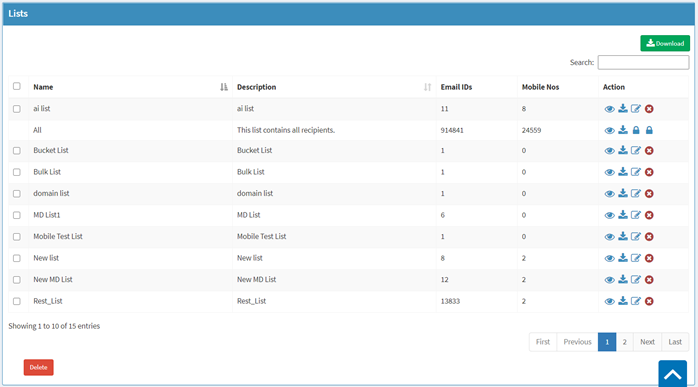
Figure : Contact List
Table : Contact List
|
Field |
Description |
|
Search Contact List |
Type an appropriate keyword based on which a search will be conducted to match the keyword with the list name or description |
- Enter the appropriate keyword in the required field in the search input box.
- MailDirect displays the Contact List Management Table with the search results.
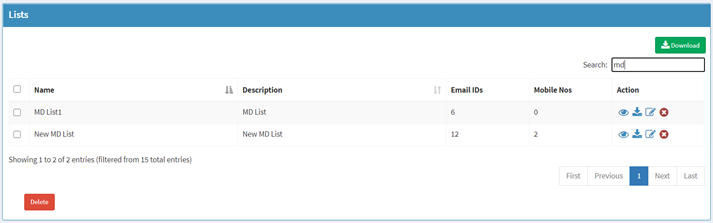
Figure : Search Contact List
Note: If the keywords used do not match the name of the existing lists or the description of the lists, MailDirect displays the Contact List Management screen with a message that no results found.
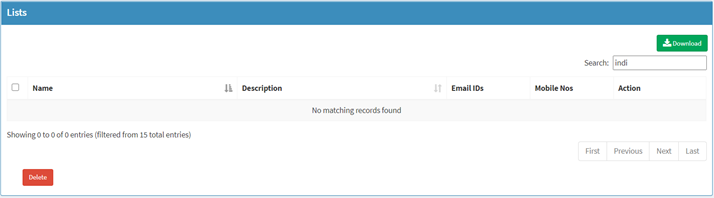
Figure : Contact Manage List with No Result

On clicking Download button, details of the all the lists is downloaded in CSV format, which includes Total Email and Mobile No count, Blocked Emails and Mobile No count, Unsubscribed Emails and Mobile No count, Sendable Emails and Mobile No count and Non Sendable Emails and Mobile No count.