 MailDirect Help
Survey Statistics Home Page
Survey Statistics Home Page
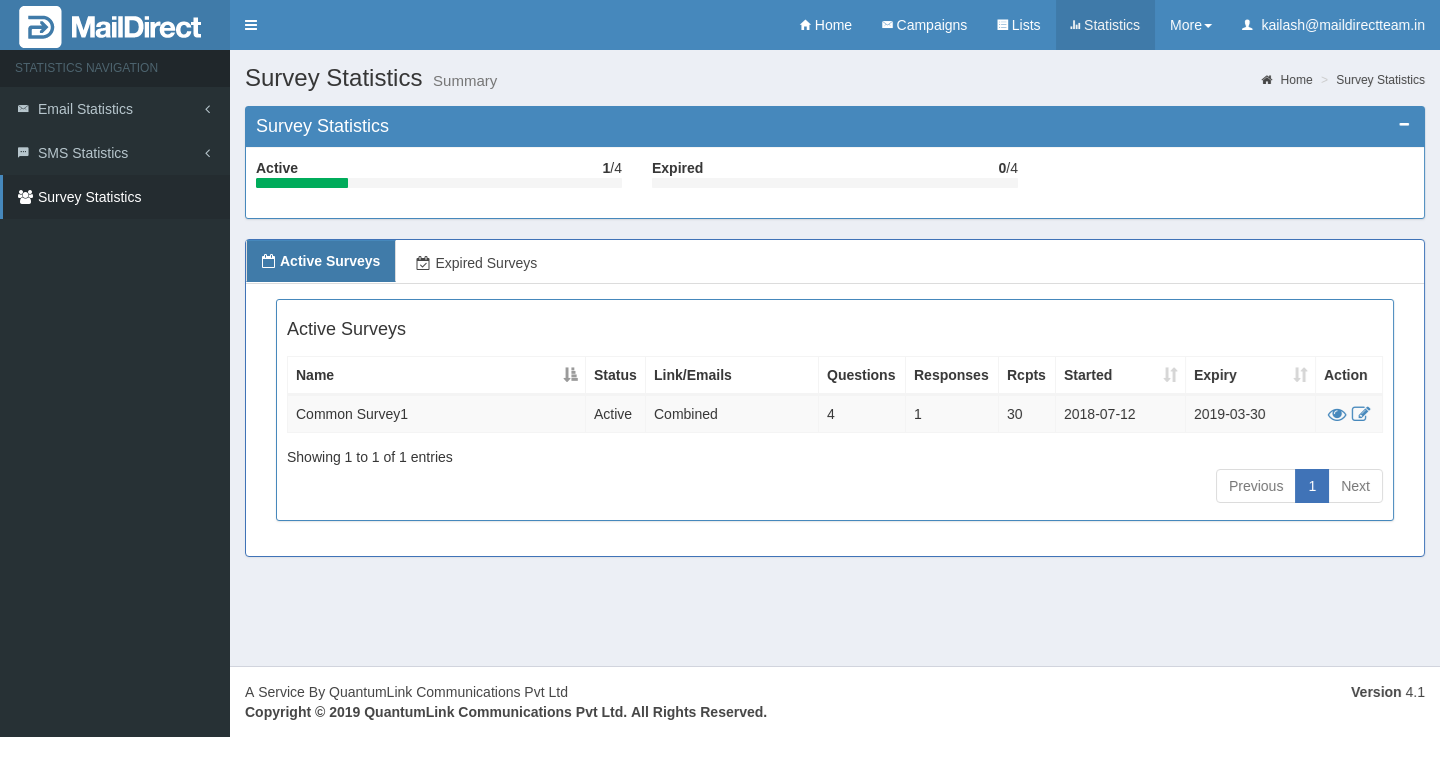
Figure : Survey Statistics – Home Page
Survey Statistics Home Page - Survey Statistics

Figure : Survey Statistics Home Page - Survey Statistics
The Survey Statistics Section Provides the Count of the Active and Expired Surveys in Text and Graphical format.
The Active Surveys and Expired Surveys Tab provides the list of the Active Surveys and Expired Surveys which contains the following fields.
Table : Survey Campaign Statistics – Active Surveys
|
Field |
Description |
|
Active Surveys |
|
|
Name |
This field displays name of the Survey |
|
Status |
This field displays status of the survey i.e. Active, Expired |
|
Link/Emails |
This field displays Survey type i.e. Invite Via Mail, Public Link on website, Combined [Restricted & Public] |
|
Questions |
This field displays total number of questions added to the survey |
|
Responses |
This field displays total number of responses received to the survey |
|
Rcpts |
This field displays total number of recipient |
|
Started |
This field displays date on which survey starts or activated |
|
Expiry |
This field displays date on which survey Expired |
|
Action |
This section displays two links, |


On clicking  link the page is redirected to Edit Survey Section of Survey.
On clicking  link the page is redirected Survey Statistics for the particular Survey