 MailDirect Help
View Engager Wizard – Finalize
View Engager Wizard – Finalize
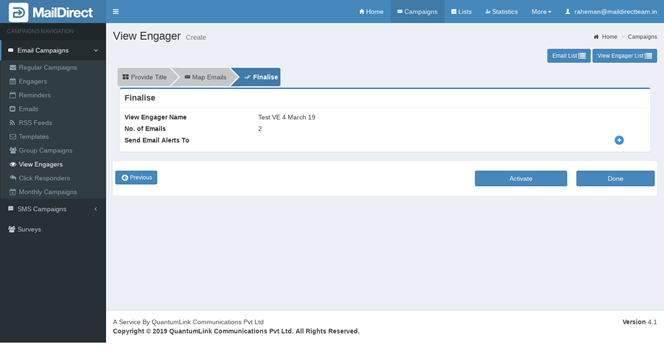
Figure : Create view Engager-Finalize Page

- For alerts to email Click on this button
- View Engager created Alert send to email/s entered in Email ID field.
- Send Reports in two formats In Embedded and attachment
- In Embedded format it send View Engager Campaign summary as HTML format.
- In As attachment format it send View Engager Campaign summary as download.
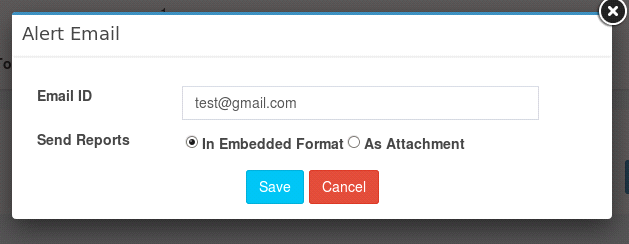
Figure : View Engager - Alert Email
Table : View Engager - Alert Email
|
Field |
Description |
|
Engager Name |
Displays name of View Engager |
|
No. of Emails |
Displays Number of Emails Mapped to View Engager |
|
Send Email Alerts |
Displays Email ID to be send view engager created |
|
Active button |
If clicked on active, view engager is active for send and displays in active tab in view engager |
|
Done |
If clicked on done, view engager is planned and displays in planned tab in view engager |
Note: Users who fail to configure DNS records, such as DMARC, SPF, and DKIM, will have an error message popup and won't be able to continue until DNS records are configured. At this stage the user is not allow to activate View Engager when map emails with domains that do not have DNS records configured.
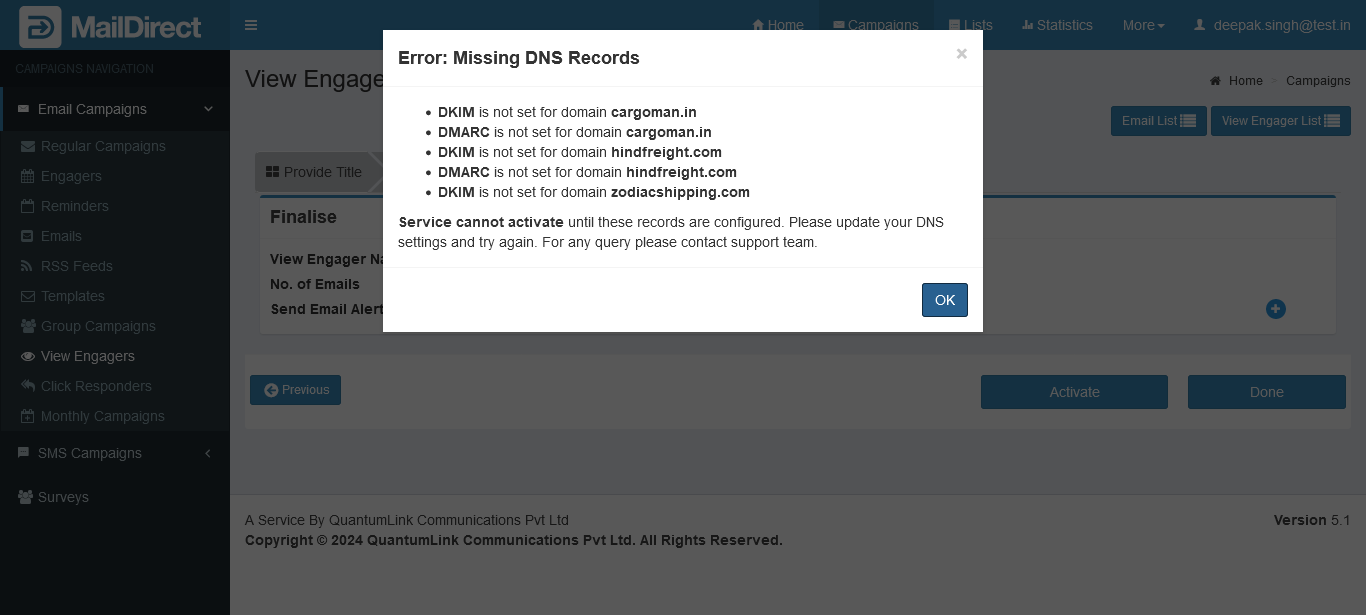
Figure : View Engager - Error : Missing DNS Records