 MailDirect Help
SMS Campaign Wizard – Finalize
SMS Campaign Wizard – Finalize
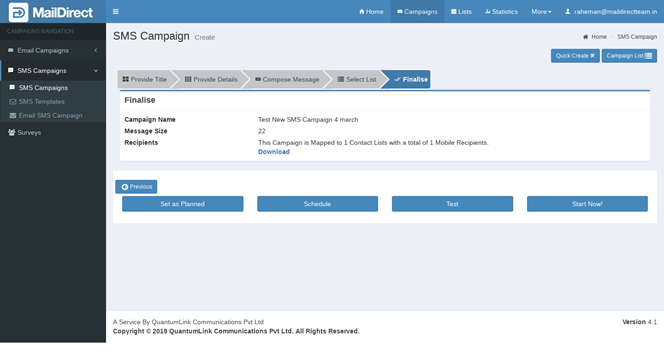
Figure : SMS Campaign Wizard Action
The section provides the details of Campaign Name, Message Size and No of Recipients and Lists Mapped along with option to download Recipients. It also contains the actions buttons for the necessary action.
To launch a SMs Campaign:
- Users can click any one of the following buttons:
- Save a campaign as a draft using the planned button
- Schedule it for launch on a later date using the Schedule button
- Test it in real - time using the Test button
To launch SMS Campaign immediately using the Start Now button.